> ## Documentation Index
> Fetch the complete documentation index at: https://docs.levelblue.com/llms.txt
> Use this file to discover all available pages before exploring further.
# Create
The **Create** page allows users to request or perform any **Action** on an asset.
## Types of Actions
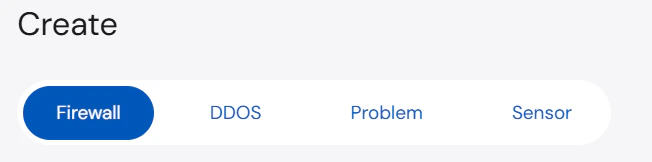
The **Actions** displayed are dependent on the service(s) you have provisioned. You can navigate between the different **Services** at the top of the page as illustrated by the screenshot below.
 ### Firewall
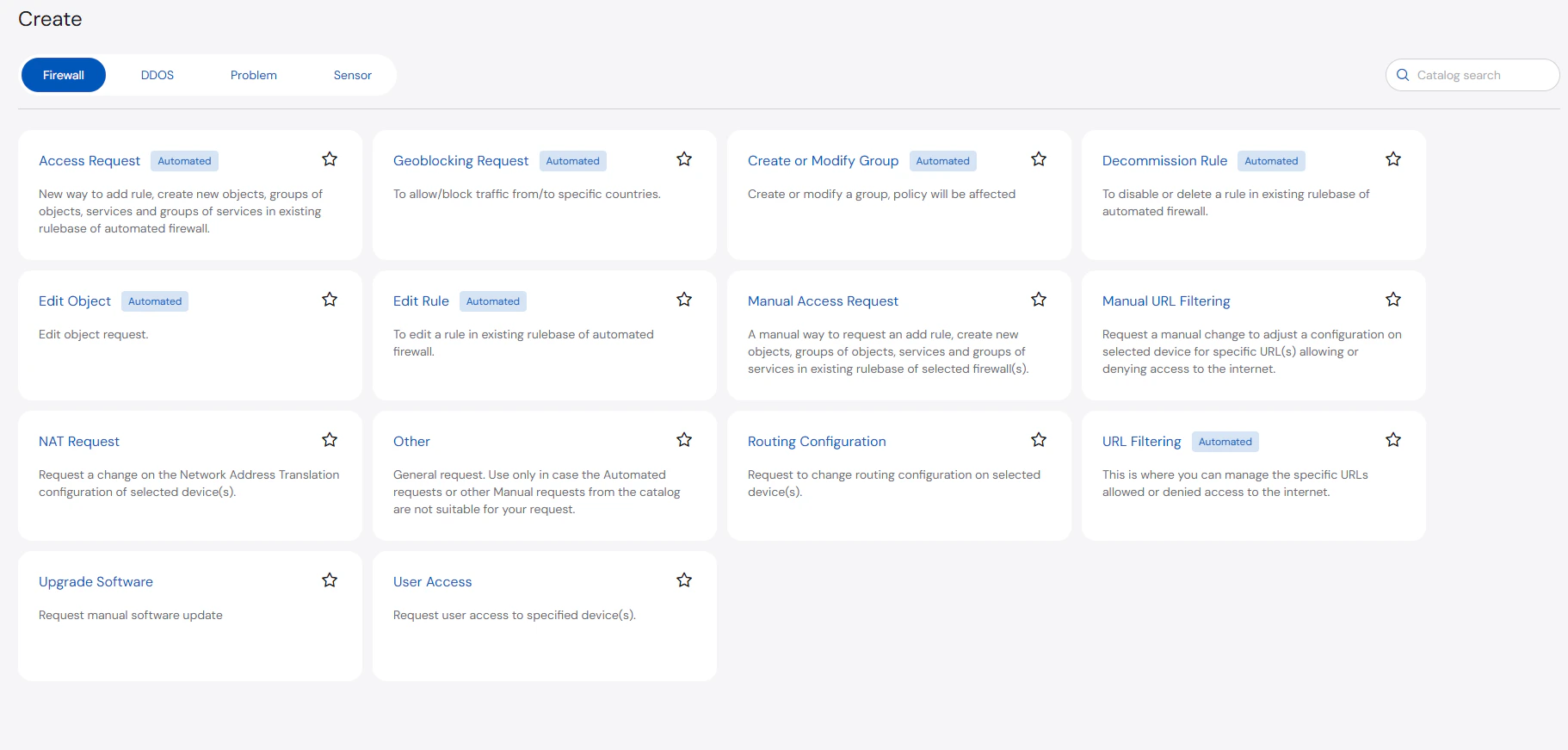 Below are the types of **Firewall** actions:
* **Access Request (Automated)**: Add a rule or create new objects, groups of objects, services, and groups of services in the existing rulebase of automated firewall.
* **Create or Modify Group (Automated)**: Create or modify a group.
Policies may be affected when a group is created or modified.
* **Decommission Rule (Automated)**: Disable or delete a rule in the existing rulebase of automated firewall.
* **Edit Rule (Automated)**: Edit a rule in the existing rulebase of automated firewall.
* **Manual Access Request**: A manual way to request to add a rule or create new objects, groups of objects, services, and groups of services in the existing rulebase of selected firewall(s).
* **Manual URL Filtering**: Request a manual change to adjust a configuration on selected device for specific URL(s) allowing or denying access to the internet.
* **NAT Request**: Request a change on the Network Address Translation configuration of selected device(s).
* **Other**: General request. You may use this option in case automated or other manual requests from the catalog are not suitable for your request.
* **Routing Configuration**: Request to change the routing configuration on selected device(s).
* **URL Filtering (Automated)**: Manage the URLs that can be allowed or denied access to the Internet.
* **Upgrade Software**: Request for a manual software update.
* **User Access**: Request user access to specified device(s).
### DDoS
Below are the types of **Firewall** actions:
* **Access Request (Automated)**: Add a rule or create new objects, groups of objects, services, and groups of services in the existing rulebase of automated firewall.
* **Create or Modify Group (Automated)**: Create or modify a group.
Policies may be affected when a group is created or modified.
* **Decommission Rule (Automated)**: Disable or delete a rule in the existing rulebase of automated firewall.
* **Edit Rule (Automated)**: Edit a rule in the existing rulebase of automated firewall.
* **Manual Access Request**: A manual way to request to add a rule or create new objects, groups of objects, services, and groups of services in the existing rulebase of selected firewall(s).
* **Manual URL Filtering**: Request a manual change to adjust a configuration on selected device for specific URL(s) allowing or denying access to the internet.
* **NAT Request**: Request a change on the Network Address Translation configuration of selected device(s).
* **Other**: General request. You may use this option in case automated or other manual requests from the catalog are not suitable for your request.
* **Routing Configuration**: Request to change the routing configuration on selected device(s).
* **URL Filtering (Automated)**: Manage the URLs that can be allowed or denied access to the Internet.
* **Upgrade Software**: Request for a manual software update.
* **User Access**: Request user access to specified device(s).
### DDoS
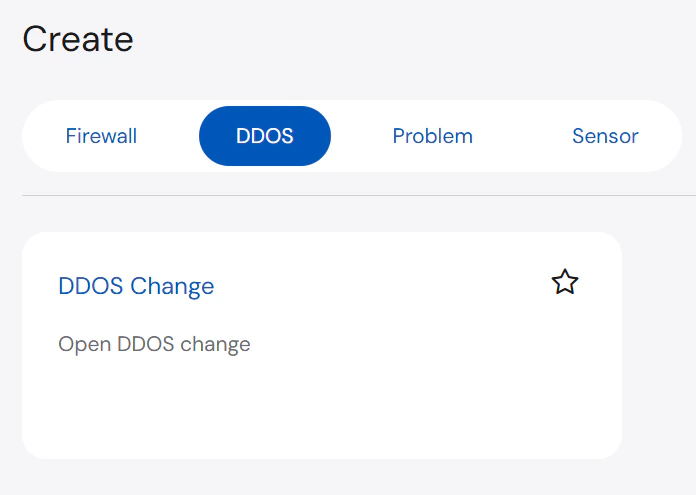 Below are the types of **DDoS** actions:
* **DDoS Change**: Open DDOS change
### Problem
Below are the types of **Problem** actions:
Below are the types of **DDoS** actions:
* **DDoS Change**: Open DDOS change
### Problem
Below are the types of **Problem** actions:
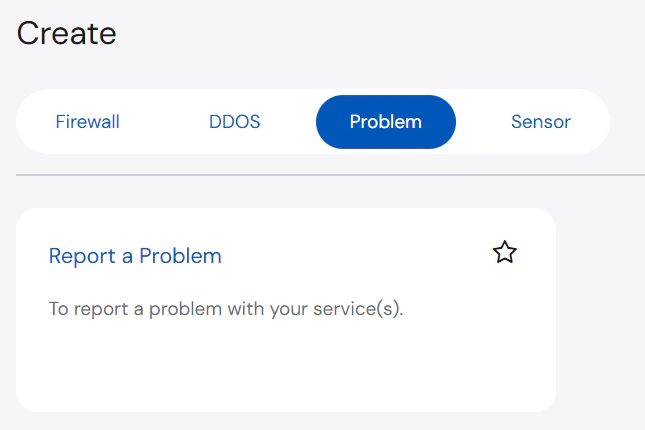 * **Report a Problem**: Report a problem with the asset
### Sensor
* **Report a Problem**: Report a problem with the asset
### Sensor
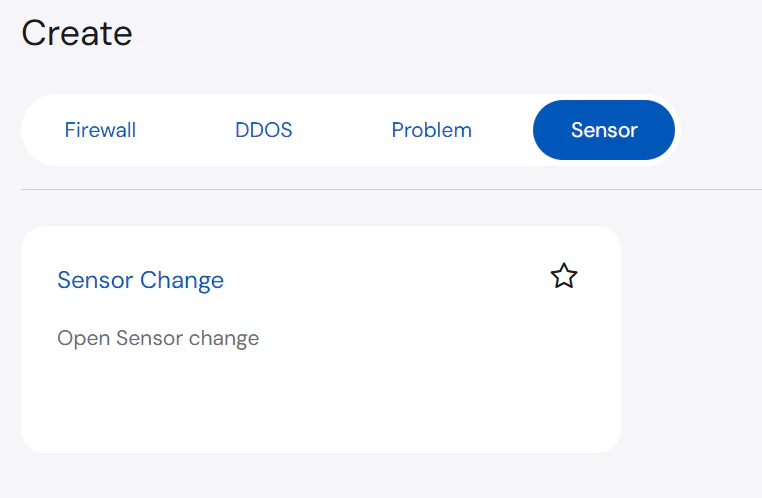 Below are the types of **Sensor** actions:
* **Sensor Change**: Open Sensor change
***
## Initiating Change Actions
The **Create** page allows you to select or request an action to be implemented on specific assets. While the required information may differ depending on the selected action, the same high-level process is still followed.
### Initiating Firewall Action
**To request a firewall action:**
1. On the **Create** page, select the **Firewall** tab and then select the action you want to request.
2. Search for and select the asset from the list.
Below are the types of **Sensor** actions:
* **Sensor Change**: Open Sensor change
***
## Initiating Change Actions
The **Create** page allows you to select or request an action to be implemented on specific assets. While the required information may differ depending on the selected action, the same high-level process is still followed.
### Initiating Firewall Action
**To request a firewall action:**
1. On the **Create** page, select the **Firewall** tab and then select the action you want to request.
2. Search for and select the asset from the list.
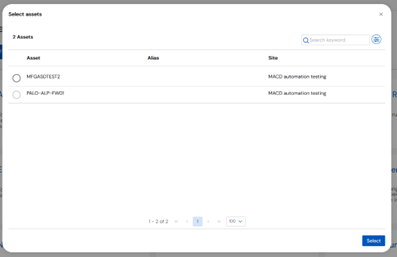 3. On the **Access Request** section, enter or select the **Assets**, **Business Justification**, and **Implementation Time**.
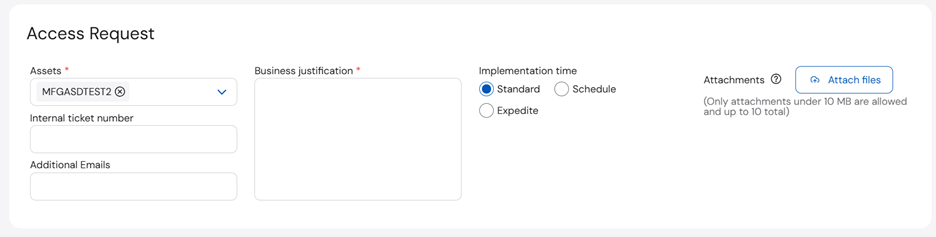 4. Complete the rest of the sections based on the ticket type. Once done, click **Next**.
5. Wait until the **Configuration Checklist** is generated.
4. Complete the rest of the sections based on the ticket type. Once done, click **Next**.
5. Wait until the **Configuration Checklist** is generated.
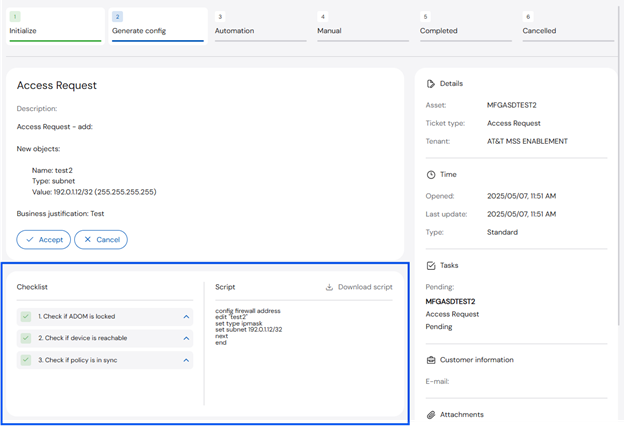 6. Once the checklist is generated, select any of the following actions to proceed:
* **Accept** - continue with the automation
* **Manual** - if the checklist fails, proceed to a manual ticket
* **Cancel** - cancel the ticket
### Initiating DDoS Change
**To request a DDoS change:**
1. On the **Create** page, select the **DDoS** tab and then **DDOS Change**.
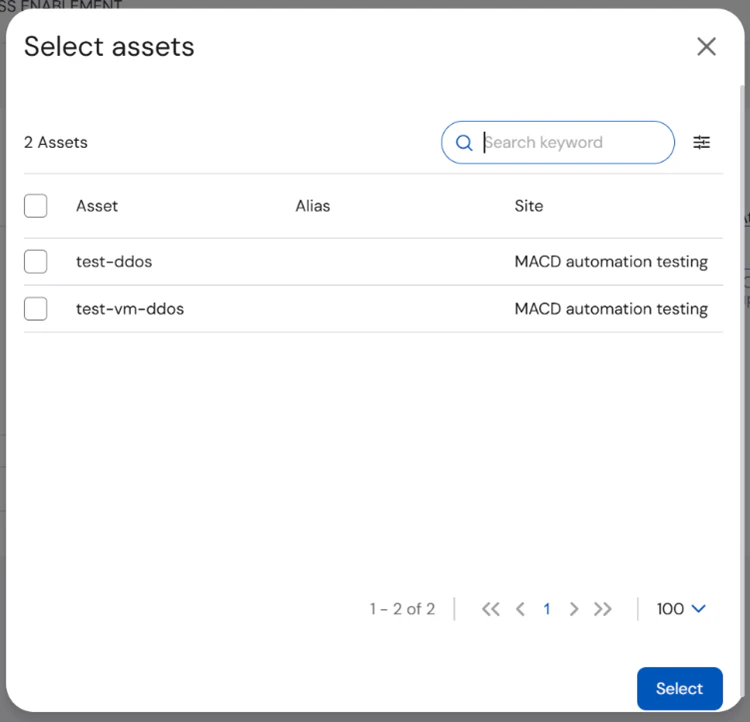
2. Search for and select the asset from the list.
6. Once the checklist is generated, select any of the following actions to proceed:
* **Accept** - continue with the automation
* **Manual** - if the checklist fails, proceed to a manual ticket
* **Cancel** - cancel the ticket
### Initiating DDoS Change
**To request a DDoS change:**
1. On the **Create** page, select the **DDoS** tab and then **DDOS Change**.
2. Search for and select the asset from the list.
 3. On the **DDOS Change** section, enter or select the **Assets**, **Business Justification**, and **Implementation Time**.
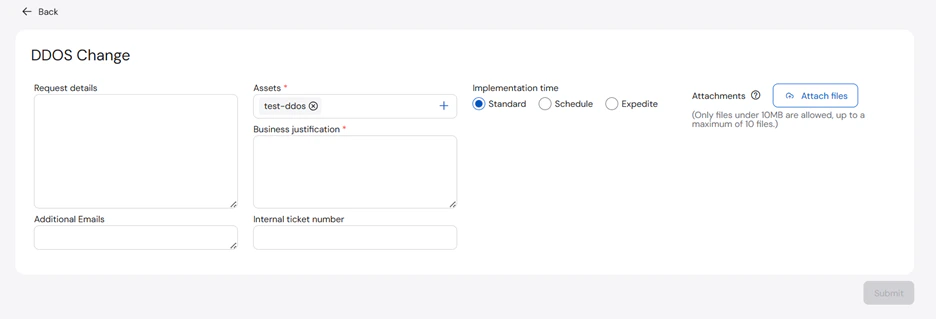 4. Click **Submit**.
### Reporting a Problem
**To report a problem:**
1. On the **Create** page, select the **Problem** tab and then **Report a Problem**.
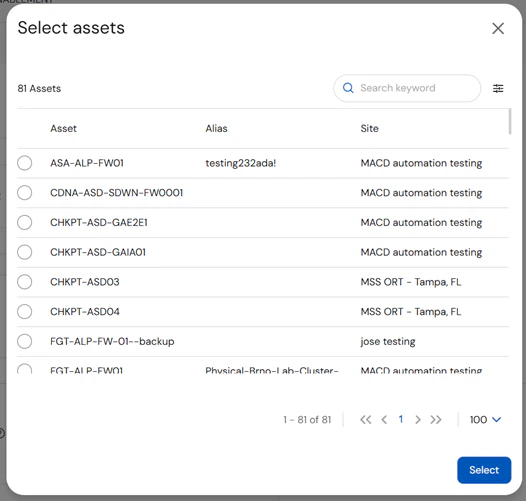
2. Search for and select the asset you want to report.
4. Click **Submit**.
### Reporting a Problem
**To report a problem:**
1. On the **Create** page, select the **Problem** tab and then **Report a Problem**.
2. Search for and select the asset you want to report.
 3. Enter the required information on the following sections: **Assets**, **Severity**, **Problem Abstract**, **Problem Description**, **Preferred Contact Method**, and **Contact Information**.
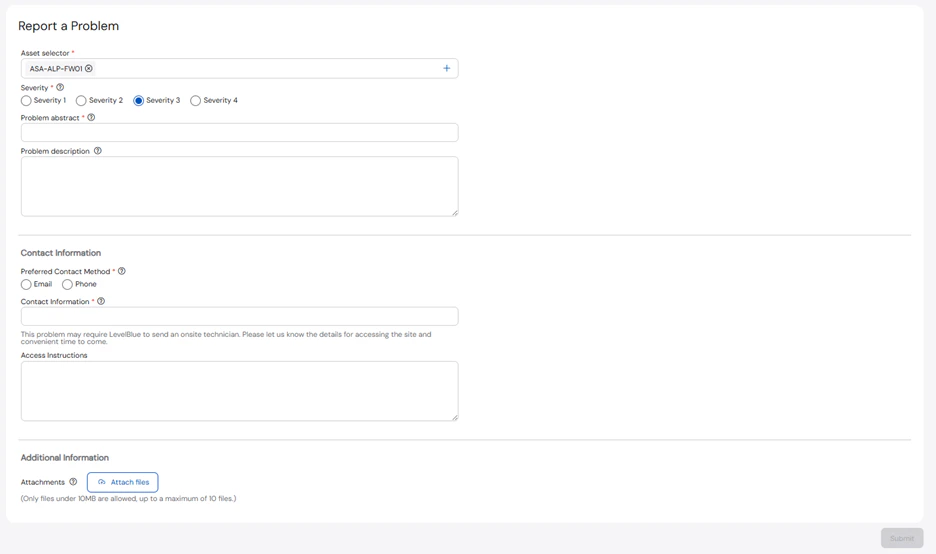 You may also add any relevant **Access Instructions** or **Attachments** to the ticket.
4. Click **Submit**.
### Initiating Sensor Change
**To request a sensor change:**
1. On the **Create** page, select the **Sensor** tab and then **Sensor Change**.
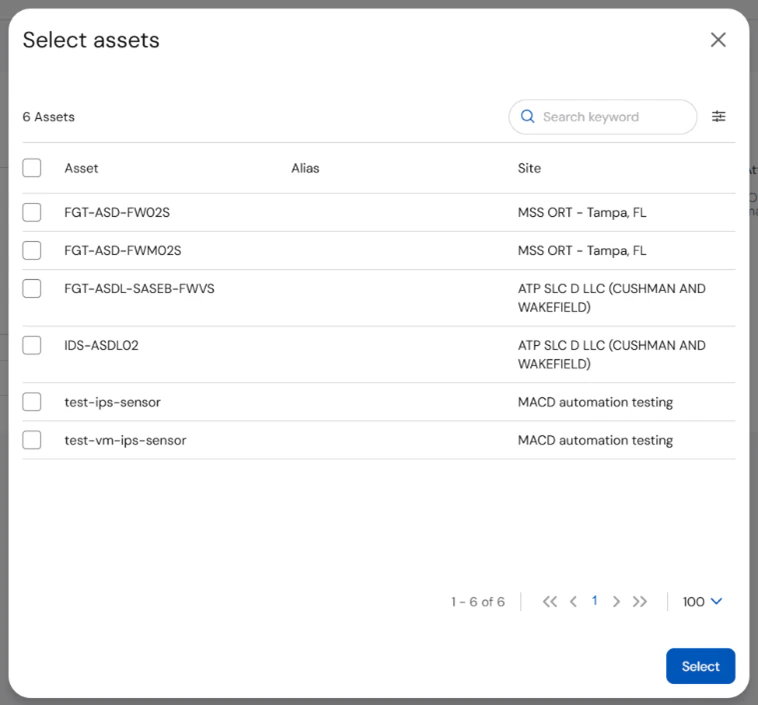
2. Search for and select the asset from the list.
You may also add any relevant **Access Instructions** or **Attachments** to the ticket.
4. Click **Submit**.
### Initiating Sensor Change
**To request a sensor change:**
1. On the **Create** page, select the **Sensor** tab and then **Sensor Change**.
2. Search for and select the asset from the list.
 3. On the **Sensor Change** section, enter or select the **Assets**, **Business Justification**, and **Implementation Time**.
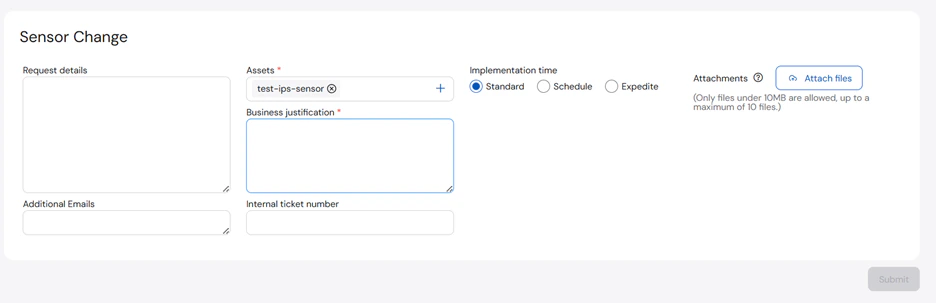 4. Click **Submit**.