> ## Documentation Index
> Fetch the complete documentation index at: https://docs.levelblue.com/llms.txt
> Use this file to discover all available pages before exploring further.
# Routes
The **Routes** tab shows the routing table and allows for **Route Lookup**. The table shows the routing table for the selected asset.
The routing table shows all types of routes, including local, static, and dynamic. It retains historical revisions; and whenever the routing table is changed, a revision is stored. To learn more about viewing past revision and comparing revisions, see [Manage - Policies](/documentation/policy-manager/manage/policies) section.
### Route Lookup
You can search routes by IP via the Route Lookup feature. A subnet mask is not required.
**To search via IP**
1. Click **Route Lookup**.
2. Enter the **IPv4 address**.
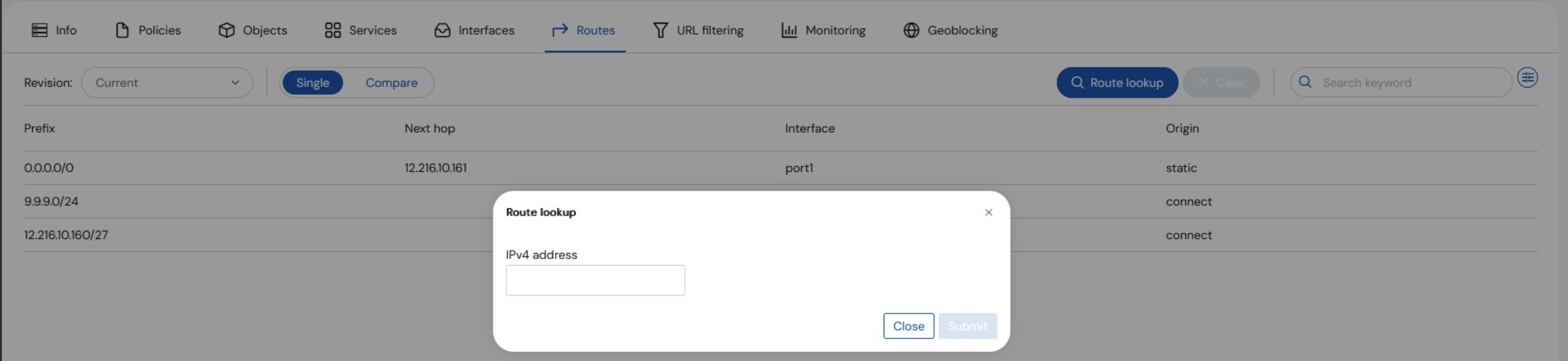 3. Click **Submit**. Results are displayed.