> ## Documentation Index
> Fetch the complete documentation index at: https://docs.levelblue.com/llms.txt
> Use this file to discover all available pages before exploring further.
# Navigation Panel
On the left side of the page, there is a navigation panel with the following sections: Dashboard, Create, Manage, Tickets, Assets, and Reports.
* **Dashboard** - This page provides a summary information about what goes on in the environment. It shows **Health**, **Changes**, a **To-Do** list, and **Quick tasks**.
* **Create** - This page is where you can go for any **Requests**, including **Access Requests**, **URL Filtering**, and **Editing** or **Decommissioning a Rule**.
* **Manage** - This page allows you to drill down into the details of a specific asset.
* **Tickets** - This page lists all of the tickets for an organization.
* **Assets** - This page displays all of the user’s assets.
* **Reports** - This page allows you to generate and download monitoring data for your devices.
#### Hiding the navigation panel
You have the ability to condense the navigation panel to save space in your view. At the bottom of the left-hand navigation panel, there is a `<< Hide` button, which hides the titles of the pages, leaving only the icons. To display the page titles again, click the `>>` button at the bottom of the panel.
 ### Burger menu
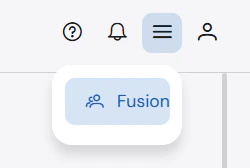
The burger menu on the top right-hand corner allows you to navigate to the **Fusion** portal.
### Burger menu
The burger menu on the top right-hand corner allows you to navigate to the **Fusion** portal.