> ## Documentation Index
> Fetch the complete documentation index at: https://docs.levelblue.com/llms.txt
> Use this file to discover all available pages before exploring further.
# BlueApp for ServiceNow Actions
As USM Anywhere surfaces events, alarms, and vulnerabilities, your team determines which items require the opening of a new ServiceNow incident. Rather than manually opening each incident ticket in the ServiceNow user interface (UI), you can use the BlueApp for ServiceNow response actions to automatically create a ServiceNow ticket with the *Short description* and *Description* fields pre-populated with content from your USM Anywhere environment. The following table lists the available actions from the BlueApp.
## Actions for BlueApp for ServiceNow
| Action | Description |
| ------------------------------------------------------------------------------------------------------------------------------------------------------------------------------------------------------------ | ---------------------------------------------------------------------------------------------------------------------------------------------------------------------------------------------------- |
| Create New Incident from Alarm | Run this action to generate a new ServiceNow incident for an alarm
This action is available when you launch a response action directly for an existing alarm |
| Create New Incident from Vulnerability | Run this action to generate a new ServiceNow incident for a vulnerability
This action is available only when you launch a response action directly for an existing vulnerability |
| Create New Incident from Event | Run this action to generate a new ServiceNow incident for an event
This action is available only when you launch a response action directly for an existing event |
| Create New Incident from Orchestration Rule | Run this action to generate a new ServiceNow incident for future events that match your criteria
This action is available only when you launch a response action in an orchestration rule |
| Create a change request | Run this action from an alarm or investigation to generate a change request in ServiceNow |
| Update Alarm Status | Run this action to update the status of an alarm |
| Pull Events | Run this action to pull events from ServiceNow |
See [Orchestration Actions for ServiceNow](/documentation/usm-anywhere/alienapps-guide/servicenow/orchestration-actions-servicenow) for more information.
Upon execution of a response action, USM Anywhere generates the ServiceNow incident and passes the associated information to that new incident ticket.
Before launching a ServiceNow response action or creating a ServiceNow response action rule, the BlueApp for ServiceNow must be enabled and connected to your ServiceNow instance. See [Configuring the BlueApp for ServiceNow](/documentation/usm-anywhere/alienapps-guide/servicenow/config-alienapp-servicenow) for more information.
**To view information about these actions in USM Anywhere**
1. In USM Anywhere, go to **Data Sources** > **BlueApps**.
2. Click the **Available Apps** tab.
3. Search for **BlueApp**, and then click the tile.
4. Click the **Actions** tab to display information for the supported actions.
5. Click the **History** tab to display information about the executed orchestration actions.
## Launch Actions from USM Anywhere
You can launch an action directly from alarms, events, or vulnerabilities. If you want to apply an action to similar events that occur in the future, you can also [create orchestration rules](/documentation/usm-anywhere/alienapps-guide/servicenow/rules-alienapp-servicenow) directly from the action applied to an alarm, event, or vulnerability.
**To launch a ServiceNow response action for an alarm, event, or vulnerability**
1. Go to **Activity > Alarms, Activity > Events,** or **Environment > Vulnerabilities** .
2. Click the alarm, event, or vulnerability to open the details.
3. Click **Select Action**.
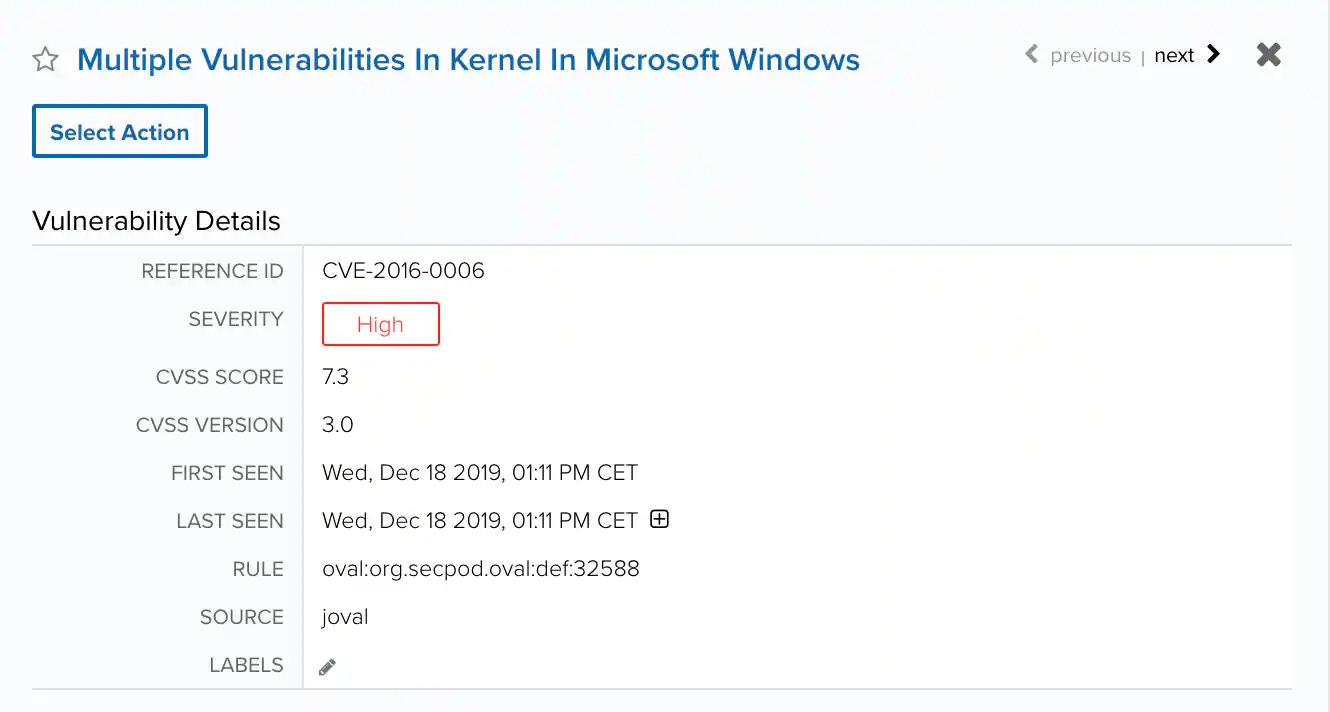 4. In the **Select Action** dialog box, select the **ServiceNow** tile.
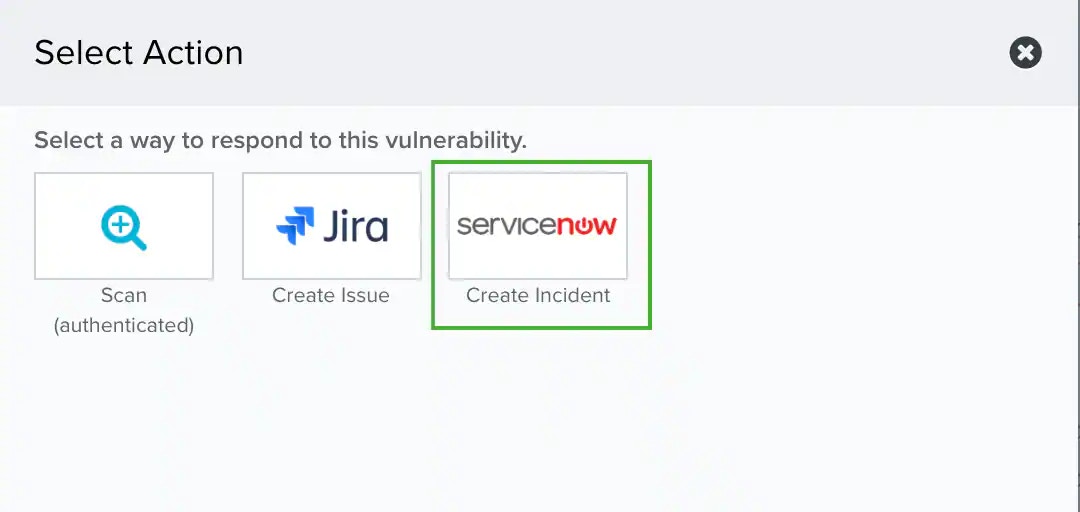 This displays the options for the selected response app. The App Action is set automatically according to the item type.
5. **(OPTIONAL)** If you have more than one USM Anywhere Sensor configured for the BlueApp for ServiceNow, use the **Select Sensor** option to set the sensor that you want to use for the action.
6. Set **Service Desk** as the Incident Type.
This displays the options for the selected response app. The App Action is set automatically according to the item type.
5. **(OPTIONAL)** If you have more than one USM Anywhere Sensor configured for the BlueApp for ServiceNow, use the **Select Sensor** option to set the sensor that you want to use for the action.
6. Set **Service Desk** as the Incident Type.
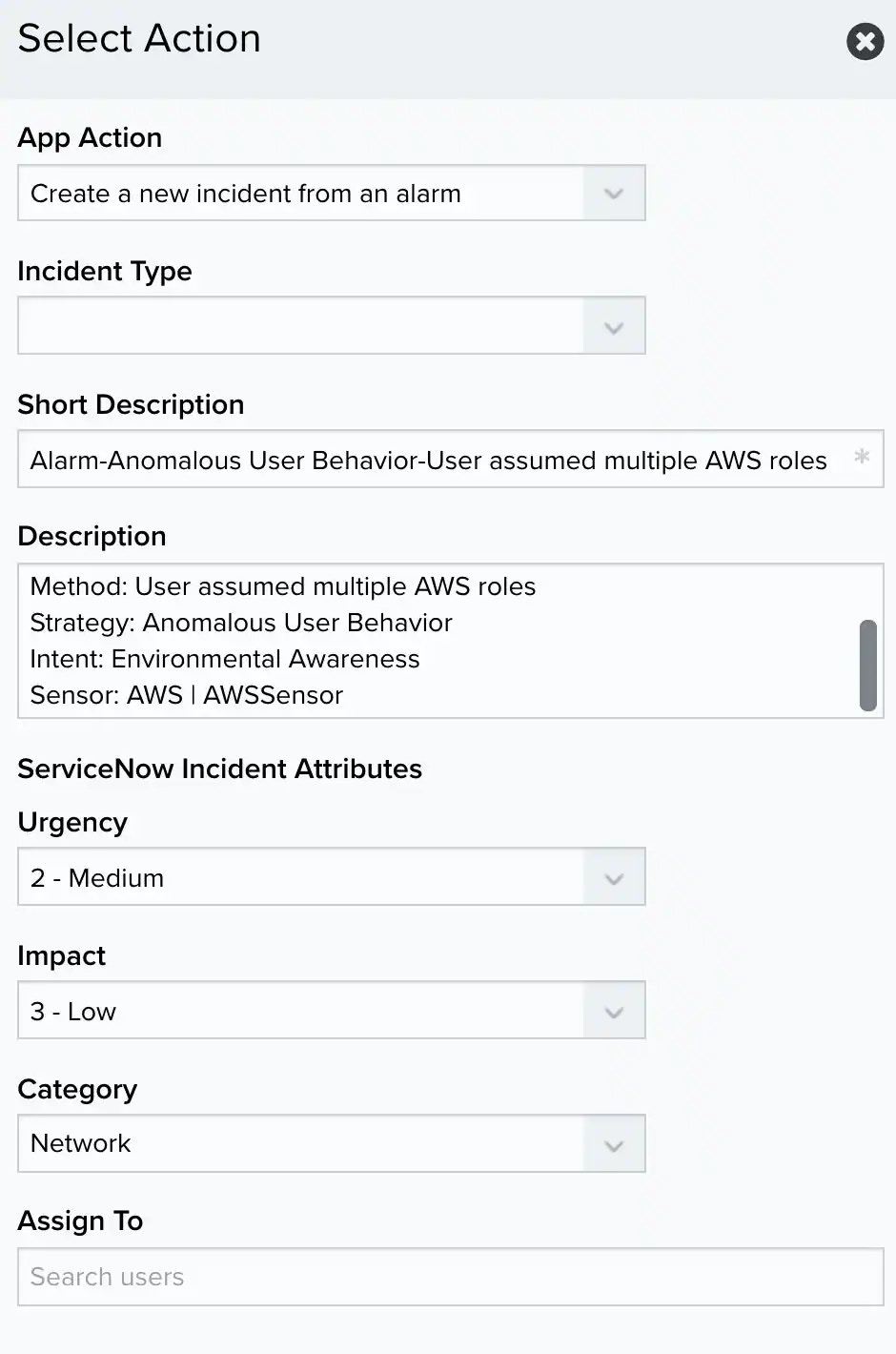 7. **(OPTIONAL)** Modify the description information for the new incident.
The BlueApp populates these fields automatically from information in the alarm, event, or vulnerability; however, you can add your own static text in these fields, if needed:
* **Short Description**: This field contains the subject for the new incident. By default, the BlueApp populates the name of the alarm, event, or vulnerability.
* **Description**: This field contains information used to respond to the incident. By default, the BlueApp populates the information according to the item type and provides the source and destination. You might choose to include additional comments here, such as suggestions for the incident response handling.
Additionally, you can further define the ServiceNow incident parameters that are populated using the **Urgency**, **Impact**, and **Category** drop-down fields. You can use the **Assign To** field to automatically assign all resulting incidents to a specific user.
7. **(OPTIONAL)** Modify the description information for the new incident.
The BlueApp populates these fields automatically from information in the alarm, event, or vulnerability; however, you can add your own static text in these fields, if needed:
* **Short Description**: This field contains the subject for the new incident. By default, the BlueApp populates the name of the alarm, event, or vulnerability.
* **Description**: This field contains information used to respond to the incident. By default, the BlueApp populates the information according to the item type and provides the source and destination. You might choose to include additional comments here, such as suggestions for the incident response handling.
Additionally, you can further define the ServiceNow incident parameters that are populated using the **Urgency**, **Impact**, and **Category** drop-down fields. You can use the **Assign To** field to automatically assign all resulting incidents to a specific user.
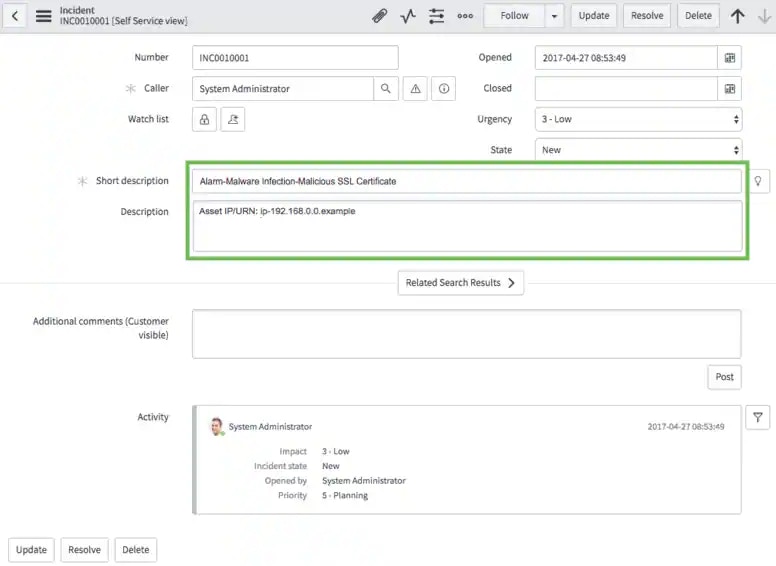 8. Once done, click **Run**.