> ## Documentation Index
> Fetch the complete documentation index at: https://docs.levelblue.com/llms.txt
> Use this file to discover all available pages before exploring further.
# Configure Amazon GuardDuty for the AWS Sensor
You can leverage your Amazon GuardDuty service within the AWS Sensor to translate the raw log data into normalized events for analysis.
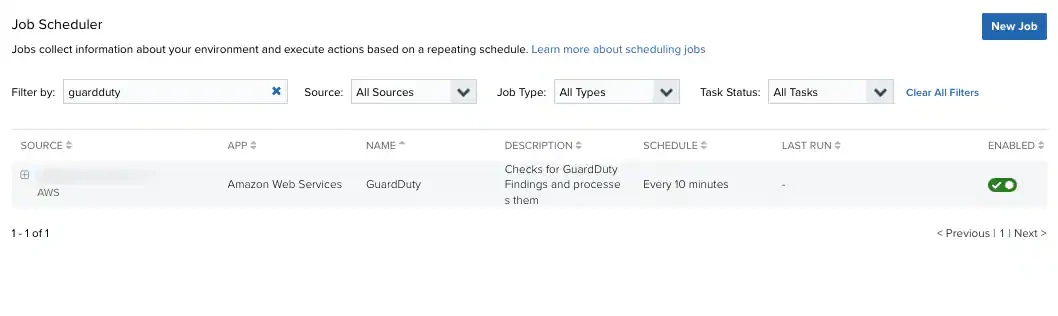
Amazon GuardDuty service is automatically detected when a new AWS Sensor is deployed. However, it still needs to be enabled for USM Anywhere to receive information from it.
**To enable Amazon GuardDuty for your AWS Sensor**
1. Go to **Settings > Scheduler**.
2. Search for **GuardDuty** in the Job Scheduler **Filter By** field.
3. In the row for the GuardDuty job, click  icon.
icon.