> ## Documentation Index
> Fetch the complete documentation index at: https://docs.levelblue.com/llms.txt
> Use this file to discover all available pages before exploring further.
# Favorite a query
You can mark saved queries as favorites to easily access them from your **Saved Custom Queries** list.
**To favorite a query**
1. Go to **Data Sources** > **Hunting Library**.
2. Click **Create Custom Query**. The **New Query** section appears.
3. Enter your query in the **New Query** field.
4. Select the **Favorite** checkbox before saving or running it. This places your custom query at the top of your **Saved Custom Queries** list.
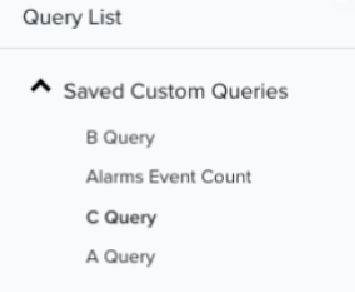
**Example**: In the sample screenshot below, queries B Query and Alarms Event Count are tagged as favorites; therefore, appearing at the top of the list. Meanwhile, C Query and A Query have been saved without being tagged as favorites.