> ## Documentation Index
> Fetch the complete documentation index at: https://docs.levelblue.com/llms.txt
> Use this file to discover all available pages before exploring further.
# Saving a query
You may save custom queries, and then run or modify them for future use.
**To save a custom query:**
1. Go to **Data Sources** > **Hunting Library**.
2. Click **Create Custom Query**. The **New Query** section appears.
3. Enter and set your query. (See [Submitting a query](/documentation/usm-anywhere/user-guide/advanced-query/submit-custom-query).)
4. Click **Save**.
5. Enter a name for your custom query.
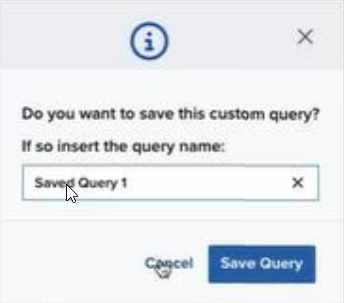 6. Click **Save Query**. The saved query now appears in the **Saved Custom Queries** list. Clicking on a saved custom query automatically runs it and makes it available for editing.