> ## Documentation Index
> Fetch the complete documentation index at: https://docs.levelblue.com/llms.txt
> Use this file to discover all available pages before exploring further.
# Deleting an AWS Cloud Connector
| | | | | |
| --------------------- | --------- | ------------ | ------- | ----------- |
| **Role Availability** | Read-Only | Investigator | Analyst | **Manager** |
USM Anywhere enables you to completely delete an Amazon Web Services (AWS) Cloud Connector from your environment.
**To delete an AWS Cloud Connector**
1. Go to **Data Sources > Cloud Connectors** to open the page.
2. Click the  icon of the sensor for which you want to delete, and then select Delete.
The Delete Cloud Connector dialog box opens.
icon of the sensor for which you want to delete, and then select Delete.
The Delete Cloud Connector dialog box opens.
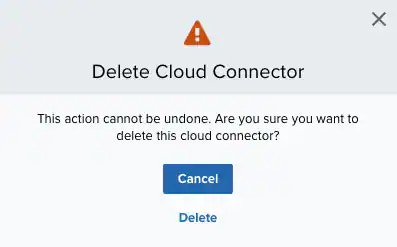 3. Click Delete.
**Note:** USM Anywhere generates a console user event when an AWS Cloud Connector is created, modified, enabled, disabled, or deleted. See [USM Anywhere Console User Events List View](/documentation/usm-anywhere/user-guide/console-user-events/console-user-events-list-view) for more information.
3. Click Delete.
**Note:** USM Anywhere generates a console user event when an AWS Cloud Connector is created, modified, enabled, disabled, or deleted. See [USM Anywhere Console User Events List View](/documentation/usm-anywhere/user-guide/console-user-events/console-user-events-list-view) for more information.