> ## Documentation Index
> Fetch the complete documentation index at: https://docs.levelblue.com/llms.txt
> Use this file to discover all available pages before exploring further.
# Cloud Connectors System Events
| | | | | |
| --------------------- | ------------- | ---------------- | ----------- | ----------- |
| **Role Availability** | **Read-Only** | **Investigator** | **Analyst** | **Manager** |
USM Anywhere generates system events when your Amazon Web Services (AWS) Cloud Connector fails and there is an error in an Amazon Simple Storage Service (S3) or Amazon Inventory file. These event names display as *Error Processing S3 Bucket Notification* and *Error Processing AWS Inventory Notification*. For an Amazon S3 collector error, you have the option of retrying to process the Amazon S3 file.
**To retry an Amazon S3 collector error**
1. Go to **Settings > System Events** to open the System Events main page.
2. Use the Event Name filter to search the AWS S3 collector error.
See [Searching System Events](/documentation/usm-anywhere/user-guide/system-events/searching-system-events) for more information.
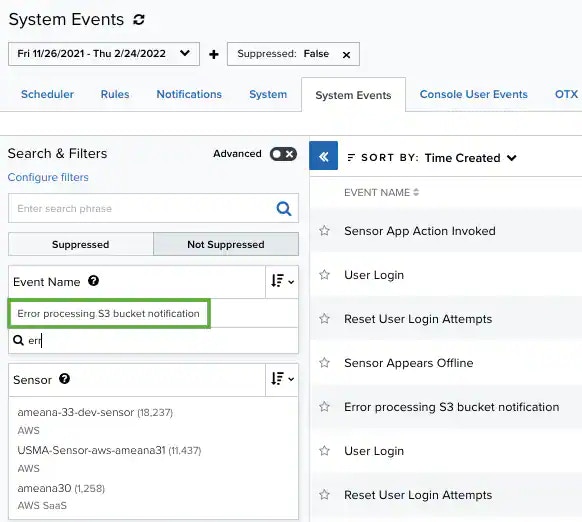 3. Click the **Error Processing S3 Bucket Notification** event name.
The result of your search displays with the errors identified.
3. Click the **Error Processing S3 Bucket Notification** event name.
The result of your search displays with the errors identified.
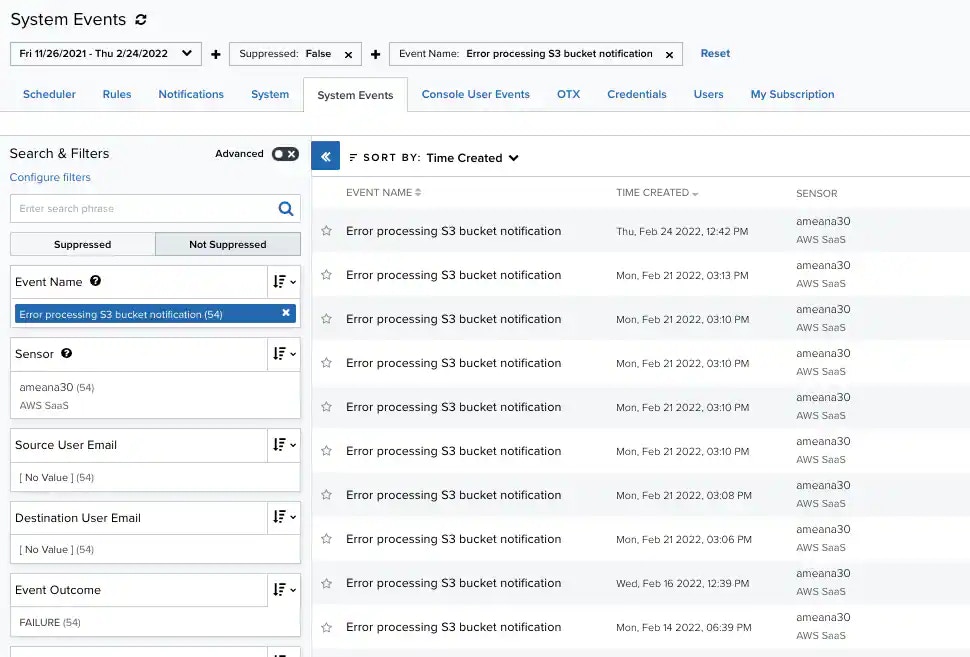 4. Select the error you want to retry.
The specific error dialog box opens.
5. Click **Retry**.
4. Select the error you want to retry.
The specific error dialog box opens.
5. Click **Retry**.
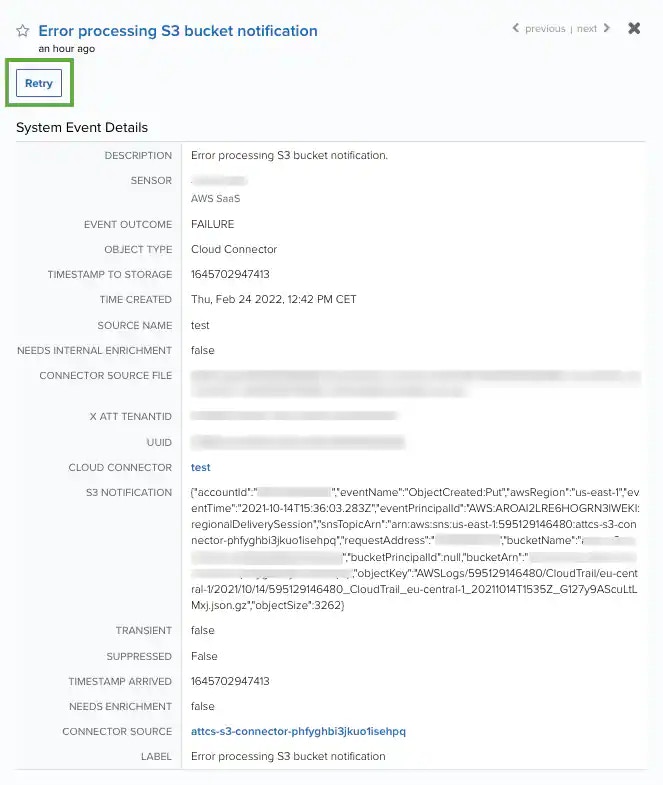 **Note:** After clicking **Retry**, USM Anywhere tries to process the file again. If the file can't be read, a new system event is generated.