> ## Documentation Index
> Fetch the complete documentation index at: https://docs.levelblue.com/llms.txt
> Use this file to discover all available pages before exploring further.
# Box Dashboard
| | | | | |
| --------------------- | ------------- | ---------------- | ----------- | ----------- |
| **Role Availability** | **Read-Only** | **Investigator** | **Analyst** | **Manager** |
The Box dashboard displays a summary of the events originating from Box logs. This option is visible if there are Box events. See [BlueApp for Box](/documentation/usm-anywhere/alienapps-guide/box/alienapp-box) for more information.
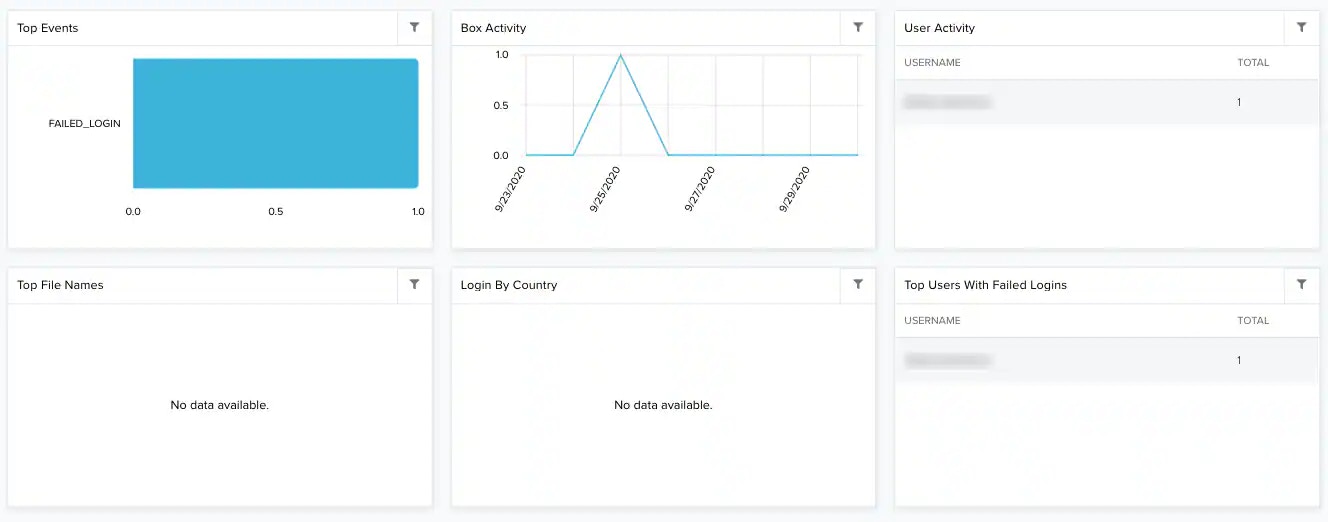 **Widgets in the Box Dashboard**
| **Widget** | **Description** |
| ---------------------------- | ----------------------------------------------------------- |
| Top Events | List of top events detected by Box. |
| Box Activity | Graph that displays the activity in Box by periods of time. |
| User Activity | List of the five users that have more activity in Box. |
| Top File Names | List of the top five file names in Box. |
| Login by Country | List of the top five logins in Box. |
| Top Users With Failed Logins | List of the top five failed logins by user. |
**Widgets in the Box Dashboard**
| **Widget** | **Description** |
| ---------------------------- | ----------------------------------------------------------- |
| Top Events | List of top events detected by Box. |
| Box Activity | Graph that displays the activity in Box by periods of time. |
| User Activity | List of the five users that have more activity in Box. |
| Top File Names | List of the top five file names in Box. |
| Login by Country | List of the top five logins in Box. |
| Top Users With Failed Logins | List of the top five failed logins by user. |