> ## Documentation Index
> Fetch the complete documentation index at: https://docs.levelblue.com/llms.txt
> Use this file to discover all available pages before exploring further.
# Vulnerability Assessment Section inside the Executive Dashboard
| | | | | |
| --------------------- | ------------- | ---------------- | ----------- | ----------- |
| **Role Availability** | **Read-Only** | **Investigator** | **Analyst** | **Manager** |
This section provides you with a way to understand your assets' exposure and measure the remediation cycle. See [Vulnerability Assessment](/documentation/usm-anywhere/user-guide/vulnerability-assessment/vulnerability-assessment) for more information.
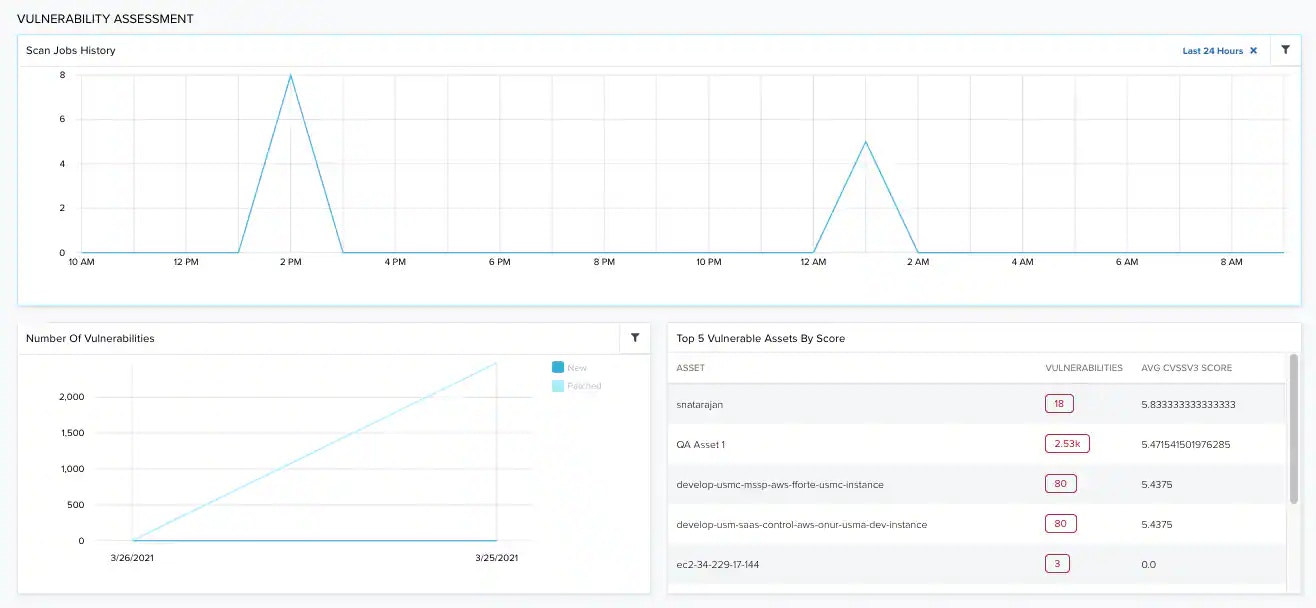 **Widgets in the Vulnerability Assessment Section inside the Executive Dashboard**
| **Widget** | **Description** |
| -------------------------------- | ----------------------------------------------------------------------------------------------------------------- |
| Scan Jobs History | Graph that displays the total number of asset scans on each day in the current month to identify vulnerabilities. |
| Number of Vulnerabilities | Total number of vulnerabilities in your environment. |
| Top 5 Vulnerable Assets by Score | List of the top five vulnerable assets ordered by score. |
**Widgets in the Vulnerability Assessment Section inside the Executive Dashboard**
| **Widget** | **Description** |
| -------------------------------- | ----------------------------------------------------------------------------------------------------------------- |
| Scan Jobs History | Graph that displays the total number of asset scans on each day in the current month to identify vulnerabilities. |
| Number of Vulnerabilities | Total number of vulnerabilities in your environment. |
| Top 5 Vulnerable Assets by Score | List of the top five vulnerable assets ordered by score. |