> ## Documentation Index
> Fetch the complete documentation index at: https://docs.levelblue.com/llms.txt
> Use this file to discover all available pages before exploring further.
# FireEye Dashboard
| | | | | |
| --------------------- | ------------- | ---------------- | ----------- | ----------- |
| **Role Availability** | **Read-Only** | **Investigator** | **Analyst** | **Manager** |
Depending on the USM Anywhere Sensor you have installed, the widgets might be visible in the FireEye dashboard. This dashboard displays data when the Reporting Device Vendor field has the FireEye value .
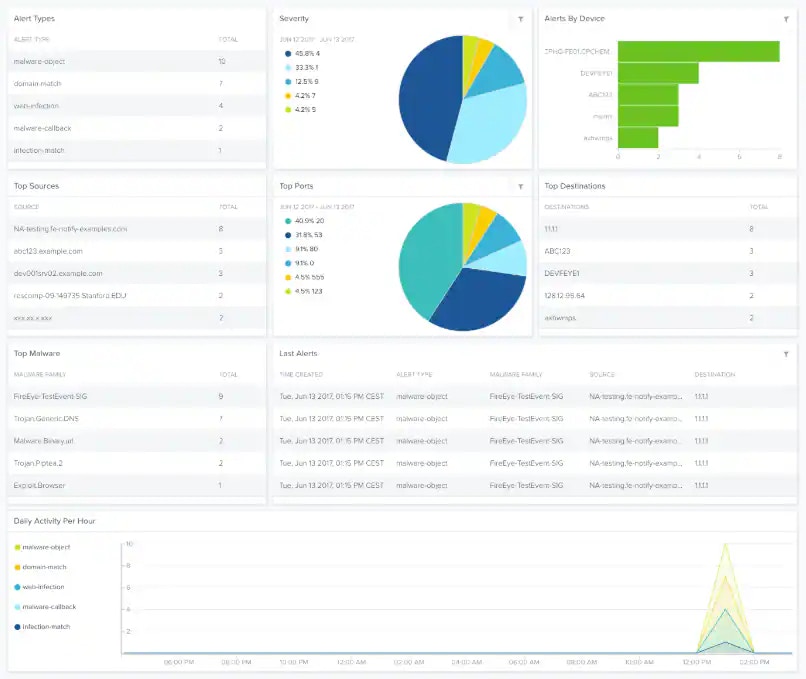 **Widgets in the FireEye Dashboard**
| **Widget** | **Description** |
| ----------------------- | ------------------------------------------------------------ |
| Alert Types | List of alerts by type. |
| Severity | Pie chart displaying, in percentages, the detected severity. |
| Alerts by Device | Total number of alerts by device. |
| Top Sources | List of the top sources. |
| Top Ports | Pie chart displaying, in percentages, the top ports. |
| Top Destinations | List of the top destinations. |
| Top Malware | List of the top malware. |
| Last Alerts | List of the last-detected alerts. |
| Daily Activity Per Hour | Graph that displays the daily activity per hour. |
**Widgets in the FireEye Dashboard**
| **Widget** | **Description** |
| ----------------------- | ------------------------------------------------------------ |
| Alert Types | List of alerts by type. |
| Severity | Pie chart displaying, in percentages, the detected severity. |
| Alerts by Device | Total number of alerts by device. |
| Top Sources | List of the top sources. |
| Top Ports | Pie chart displaying, in percentages, the top ports. |
| Top Destinations | List of the top destinations. |
| Top Malware | List of the top malware. |
| Last Alerts | List of the last-detected alerts. |
| Daily Activity Per Hour | Graph that displays the daily activity per hour. |