> ## Documentation Index
> Fetch the complete documentation index at: https://docs.levelblue.com/llms.txt
> Use this file to discover all available pages before exploring further.
# Transforming a Playbook
| | | | | |
| --------------------- | --------- | ------------ | ------- | ----------- |
| **Role Availability** | Read-Only | Investigator | Analyst | **Manager** |
Users in the Manager role can take an existing manual playbook and transform it into an automated playbook or take an existing automated playbook and transform into a manual playbook. Transforming a playbook makes an edited clone of the original playbook, leaving the original playbook unchanged. See [Cloning a Playbook](/documentation/usm-anywhere/user-guide/rules-management/playbooks-clone) for more details on cloning playbooks.
**To transform a playbook**
1. Go to **Settings > Playbooks**, and then navigate to the My Playbooks tab.
2. Click the  icon of the playbook you want transform.
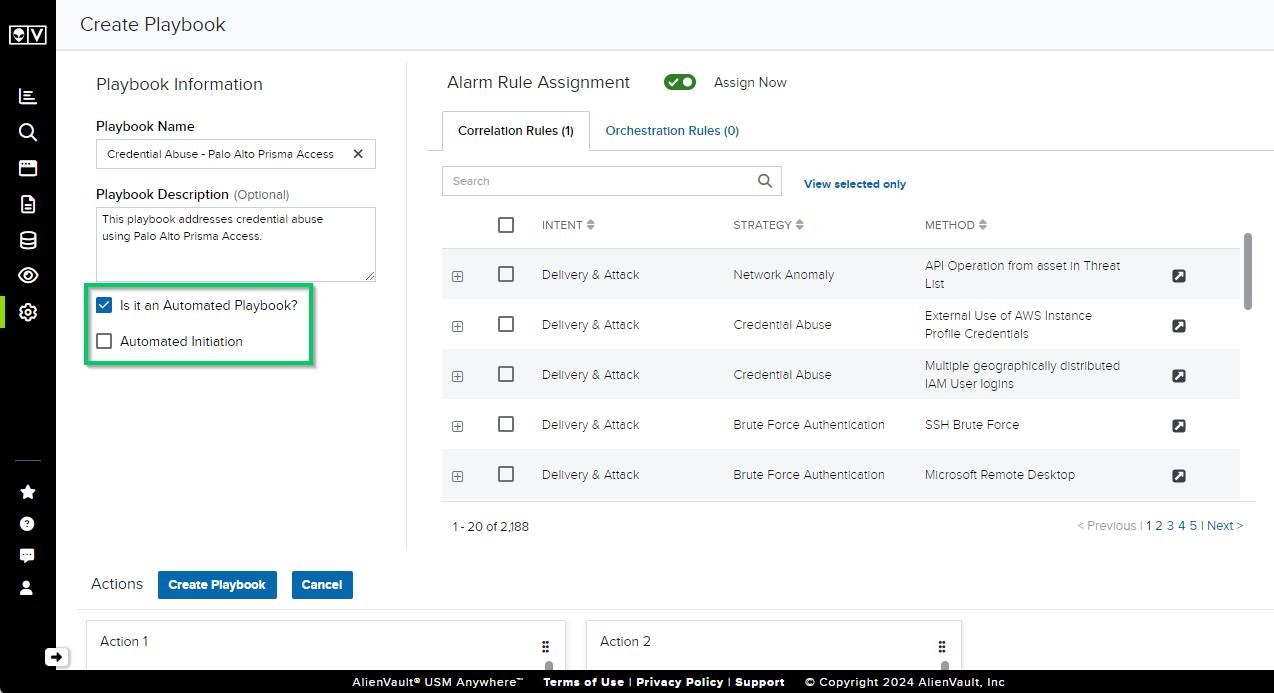
This opens the Create Playbook page.
3. Change your selections depending on the type of playbook you would like to transform to:
* To transform to an automated playbook with automated initiation, ensure **Is It an Automated Playbook** and **Automated Initiation** are selected.
* To transform to an automated playbook that requires manual initiation, ensure only **Is It an Automated Playbook** is selected.
* To transform to a manual playbook with manual initiation, ensure both options are deselected.
icon of the playbook you want transform.
This opens the Create Playbook page.
3. Change your selections depending on the type of playbook you would like to transform to:
* To transform to an automated playbook with automated initiation, ensure **Is It an Automated Playbook** and **Automated Initiation** are selected.
* To transform to an automated playbook that requires manual initiation, ensure only **Is It an Automated Playbook** is selected.
* To transform to a manual playbook with manual initiation, ensure both options are deselected.
 Important: All automated actions can be transformed into manual actions, but not all manual actions can be transformed into automated actions. The Removing Manual Actions dialog box will display any actions that cannot be transformed.
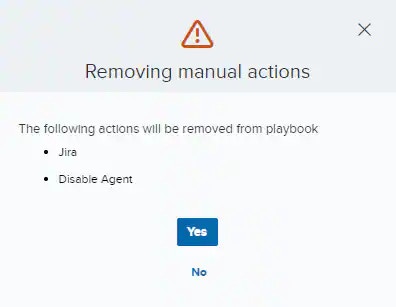
4. The Removing Manual Actions dialog box appears if there are any manual actions that cannot transform into automated actions. Any actions that cannot be transformed will be removed. Click **Yes** to continue.
Important: All automated actions can be transformed into manual actions, but not all manual actions can be transformed into automated actions. The Removing Manual Actions dialog box will display any actions that cannot be transformed.
4. The Removing Manual Actions dialog box appears if there are any manual actions that cannot transform into automated actions. Any actions that cannot be transformed will be removed. Click **Yes** to continue.
 5. Click **Create Playbook.**