

- Go to Data Sources > BlueApps > Available Apps.
- Look for the BlueApp you want to use and click the tile.
- After the page finishes reloading, click Assign Asset.
- Select the asset you want to assign. Click Create Asset to add an asset if it is not yet in USM Anywhere.
- Click Assign.
-
When applicable, select the collection method you want to use.
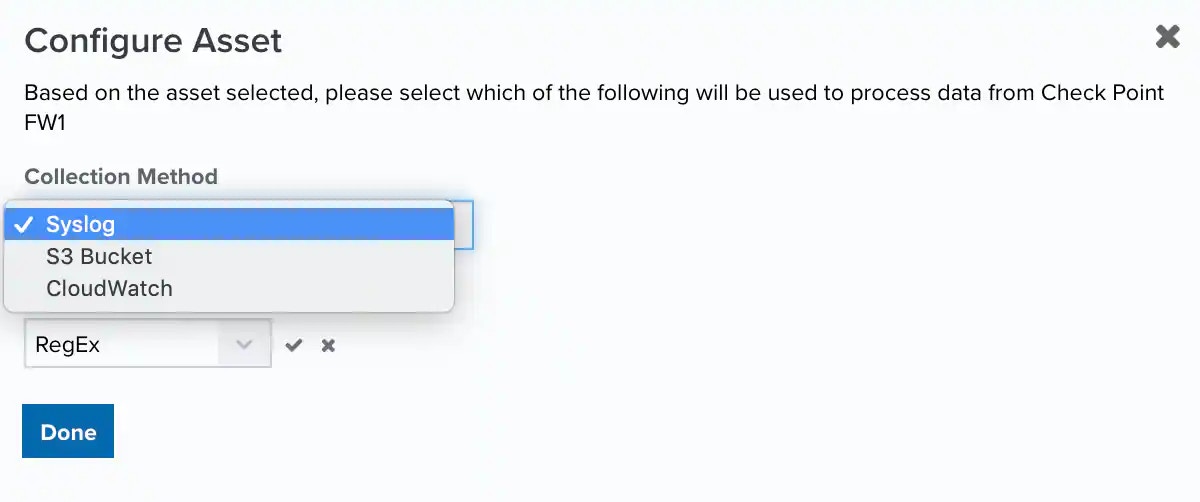
-
When applicable, select the format. See BlueApps Supported Log Formats for more information.
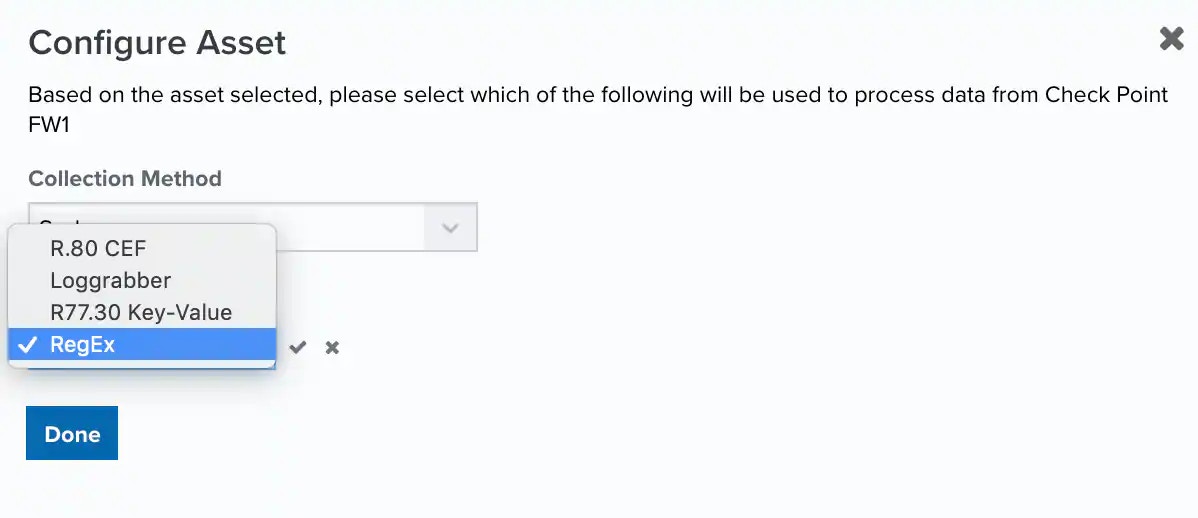
-
Click the
 icon to confirm.
- Click Done.
- Go to Data Sources > BlueApps > Available Apps.
- Look for the BlueApp from which you want to remove the asset and click the tile.
-
Click the
 icon.
icon.

- Click Accept to confirm.
- Go to Data Sources > BlueApps > Available Apps.
- Look for the BlueApp you want to modify and click the tile.
-
Click the
 icon of the asset.
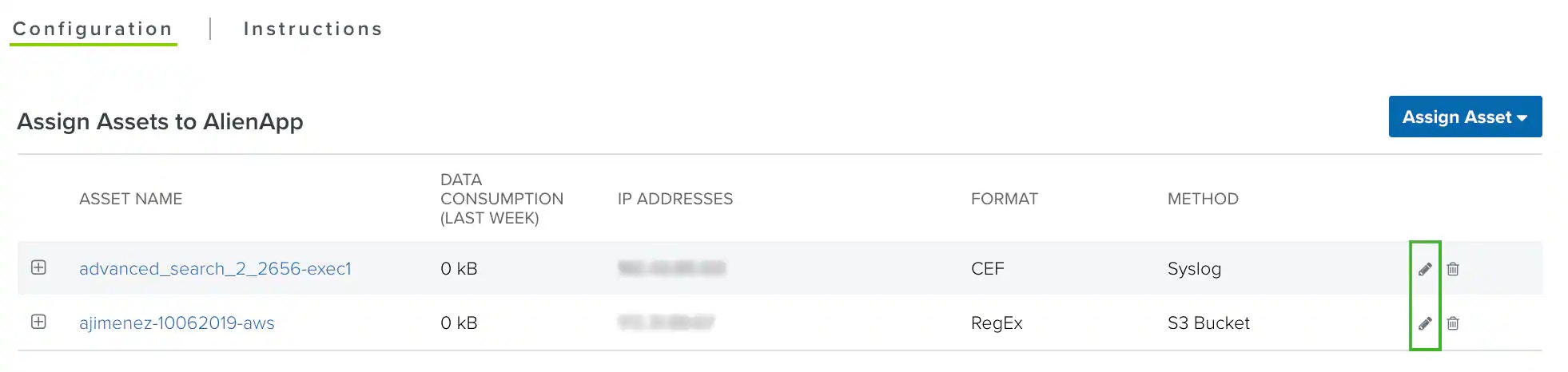
- Select the new format you want to use.
-
Click the
 icon to confirm.
- Click Done.
BlueApps Supported Log Formats
Some BlueApps in USM Anywhere support multiple formats, giving you the option to select the format suitable to your environment. The following table lists the log formats and provides a sample log line for each one. Log Formats Supported by BlueApps| Format | Description | Sample Log |
|---|---|---|
| CEF | ArcSight Common Event Format | CEF:Version|Device Vendor|Device Product|Device Version|Device Event Class ID|Name|Severity|[Extension] CEF:0|Security|threatmanager|1.0|100|worm successfully stopped|10| src=10.0.0.1 dst=2.1.2.2 spt=1232 |
| CLF | NCSA Common Log Format | 125.0.0.1 user - identifier sjones [10/Oct/2011:13:55:36 -0700] “GET /examp_alt.png HTTP/1.0” 200 10801 |
| CSV | Comma-Separated Values | 2,398778306028,eni-abc,1.1.1.1,2.2.2.2,52392,443,6,11,1935,1461792267,1461792322,ACCEPT,OK |
| GELF | Graylog Extended Log Format | { “version”: “1.1”, “host”: “example.org”, “short_message”: “A short message”, “level”: 5, “_some_info”: “foo” } |
| JSON | JavaScript Object Notation | {“DateTime”:1438189080000,“UsersName”:“Dev”,“UsersEmail”:“dev@blah.com”,“IPAddress”:“1.1.1.1”,“Action”:Test”} |
| Key‑Value | A key and value pair | id=”0001” severity=”info” name=”http access” action=”pass” method=”GET” srcip=”1.1.1.1” dstip=“2.2.2.2” user=“myuser” |
| LEEF | Log Event Extended Format | LEEF:Version|Device Vendor|Device Product|Device Version|Event ID|Name| Severity|key=value<tab>key=value<tab>key=value<tab>key=value LEEF:0|Security|threatmanager|1.0|100|worm successfully stopped|10| src=10.0.0.1 dst=2.1.2.2 spt=1232 |
| RegEx | Regular Expression | sshd[1097]: Failed password for invalid user ben from 1.1.1.1 port 43312 ssh2 |
| Split | The fields are separated using a character other than comma | 200|939|3934|1.1.1.1|-|1.1.1.1|“‘Technology & Telecommunication’”|“test\test”|false|allowed|2.2.2.2 |
| W3C | Extended Log File Format from W3C | #Fields: time cs-method cs-uri
00:34:23 GET /foo/bar.html |
| XML | Extensible Markup Language | <Root><EventID>90060</EventID><Priority>4</Priority><Message>Application - End</ Message><Category>AUDIT</Category></Root> |