BlueApps parse raw data and convert them into common event fields, such as user, date and time, and source or destination IP address, so that USM Anywhere can manage the information as security events. With a normalized event, USM Anywhere can display information uniformly and correlate events from various systems to generate .USM Anywhere provides hundreds of BlueApps that translate log data from common devices, operating systems, and applications. When USM Anywhere receives the raw data, it must identify a data source to use for normalization. Many data sources produce syslog messages that can be used to identify the device or application producing the message (auto-discovered), while other data sources produce log data that requires more guidance to identify a match for the data (not auto-discovered).
In USM Anywhere, many BlueApps can analyze and match log data automatically because of hints — unique information within a syslog message that identifies the data source sending the logs. When matched, these hints enable the message to be read and the data source to be determined, hence auto-discovered.Not all BlueApps accept hints, however, because some syslog messages only contain generic data. For hints to work, syslog messages must contain unique information. When such information is missing, USM Anywhere can neither automatically identify those data sources nor read their syslog data, hence the data sources are not auto-discovered. These BlueApps require a manual association between the device sending the syslog messages and the BlueApp. See Assign Assets to BlueApps for detailed instructions.
Important: Assigning an BlueApp to an asset disables the usage of hints for the logs coming from this asset; therefore, USM Anywhere only uses the assigned BlueApps to parse and normalize those logs.If you use a log-forwarding software (such as Splunk or Loggly) to send logs to USM Anywhere, LevelBlue recommends that you use at least two such forwarders: one forwarder for all the auto-discoverable BlueApps, and the other for the non-auto-discoverable BlueApps. In the latter case, you must create an asset in USM Anywhere to denote the forwarder and assign it to the non-auto-discoverable BlueApps. This ensures that USM Anywhere uses the correct BlueApp to parse your logs.
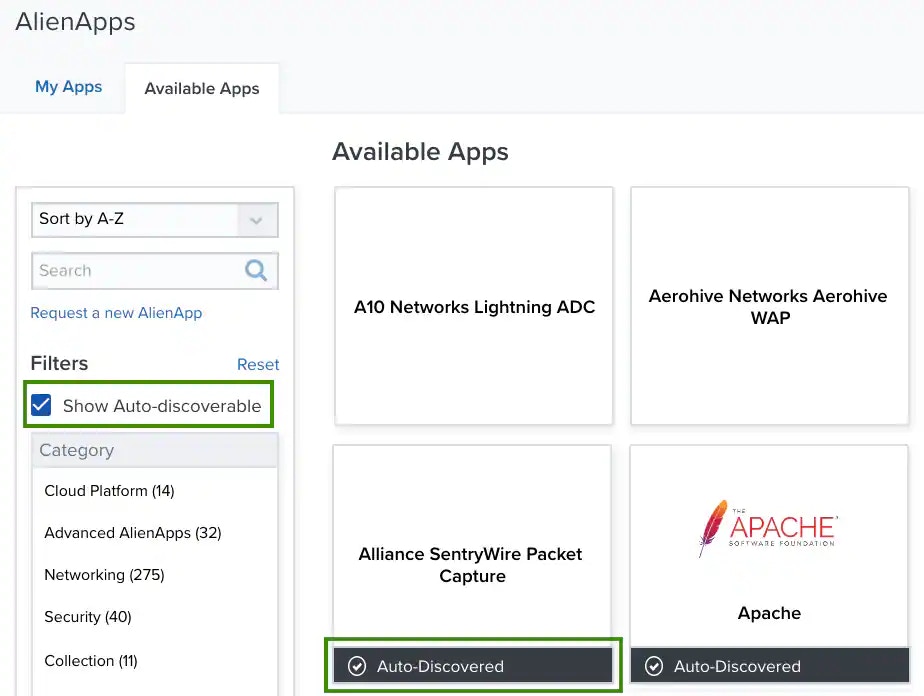
When multiple BlueApps are assigned to an asset, it can happen that an incorrect BlueApp is invoked to parse and normalize the log message, especially when the needed BlueApp is not included in the list of manually assigned BlueApps.USM Anywhere clearly indicates whether an BlueApp can auto-discover its data source in the user interface (UI). On Data Sources > AlienApps > Available Apps, when Show Auto-discoverable is selected, auto-discovered BlueApps display a black banner at the bottom of the tile:
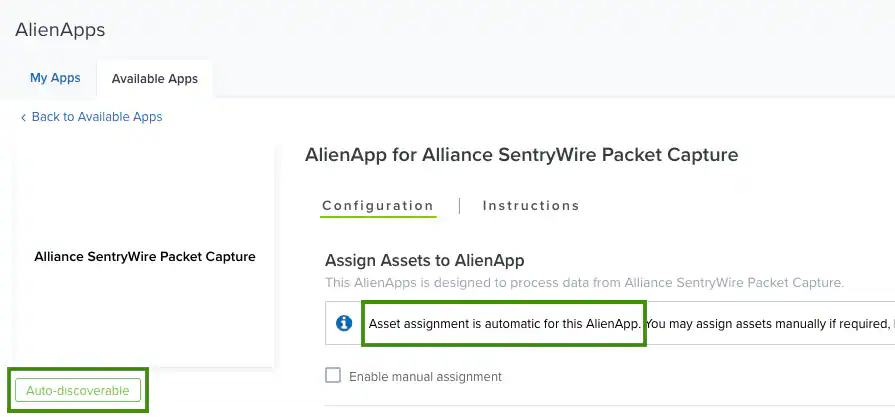
If you click a tile to open the page for a particular BlueApp, look for the following clues to indicate that the BlueApp is auto-discovered:
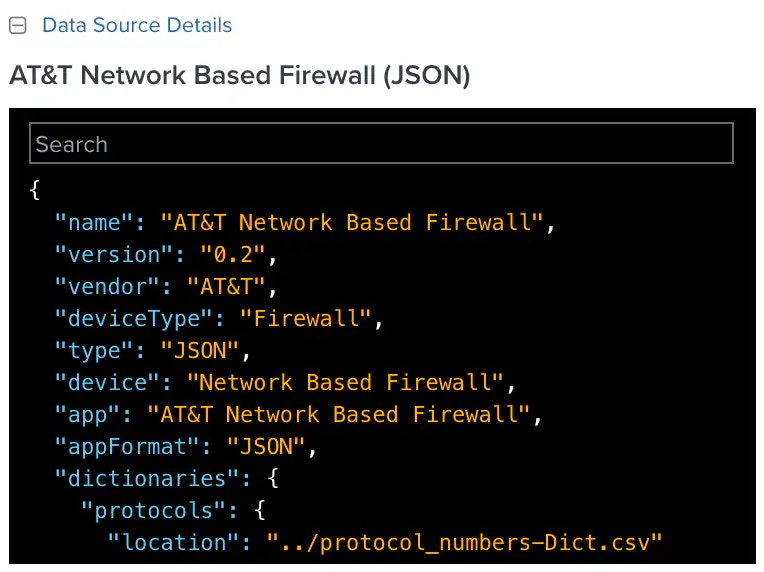
Each of the standard BlueApps contains a section of the data source details on the Configuration page. Click Data Source Details to see the data format and the full list of details for the app’s data parsing.
Occasionally, a log line cannot be matched by any BlueApps. This is typically caused by devices that generate non-standard syslog messages. For example, when there are non-standard date formats or other information in the syslog header, the USM Anywhere syslog parser is unable to properly extract the tag header. In some cases, you can modify the logging configuration on the device to produce a better result.For cases where a matching data source is not identified, USM Anywhere parses it using a generic data source. This data source parses the log line using regular expressions and advanced text searches, including common log keywords. If USM Anywhere uses the LevelBlue Generic Data Source as a best effort to parse a log line, it adds a Was Fuzzied = True field to the event. You can view such events on the Activity > Events page. See LevelBlue Generic Data Source for more information.


 Data Source Details to see the data format and the full list of details for the app’s data parsing.