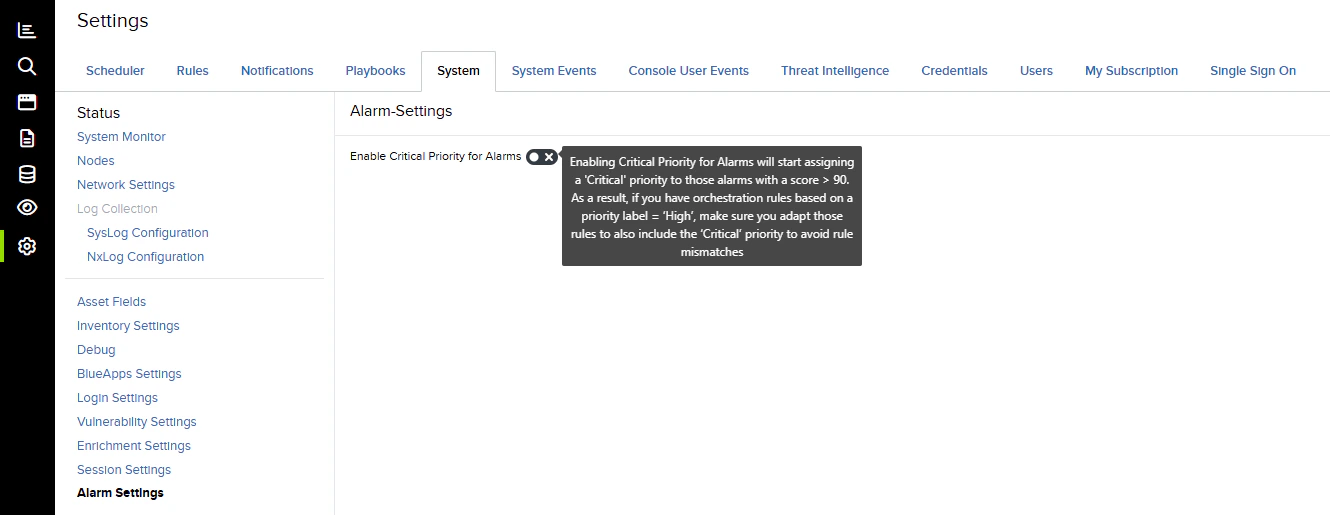
Role Availability | ✔️ Read-Only ✔️ Investigator ✔️ Analyst ✔️ ManagerThe alarm settings in USM Anywhere allow you to enable the critical alarm for your events with a priority score of more than 90. Having this new priority level allows you to sort and manage your most urgent alarms and triggers. When a critical alarm is triggered, the tagged event is triaged and addressed immediately.To enable critical alarm priority:
Go to Settings > System, and then select Alarm Settings.
Switch the Enable Critical Priority for Alarms toggle.
Enabling the critical alarm may affect the Orchestration Rules you have previously configured. You may have to update your existing orchestration rules to ensure the workflow functions correctly.
When the toggle is disabled, the priority will be those with a High level for events with a score of up to 100.
When the toggle is enabled, the priority will be those with a Critical level for events with a score of more than 90.