

Deployment Status
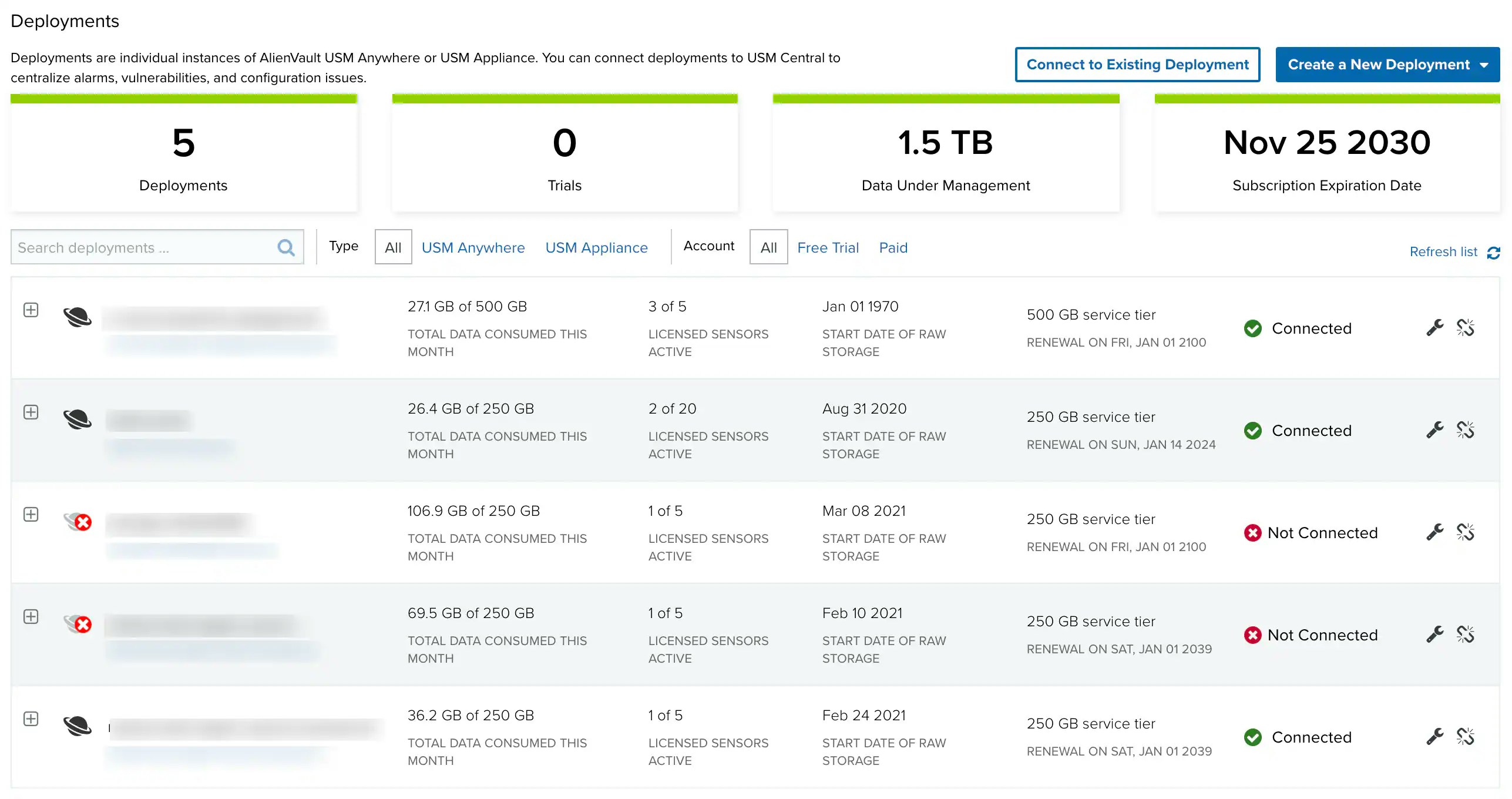
The Deployments page lists all USM Anywhere and USM Appliance deployments associated with your USM Central environment. The list displays data consumption, , storage, subscription, and connection status information for each deployment. The following table shows the deployment status types. Deployment Status TypesDeployments Display
You can view all of your current deployments by navigating to Settings > Deployments. Here you can find the relevant data for all your deployments, including the number of deployments connected, subscription expiration dates, the amount of data under management, and the status of each individual deployment. You can also track the details of specific deployments, such as data usage, how many sensors are active, and the connectivity of the deployment. Click the icon next to a deployment to expand its details.
Drill Down to a Specific Deployment
From USM Central, if your user role is Analyst or Manager, you can access any of the connected deployments without the need to log in. But if your user role is Read Only, you must enter your username and password to authenticate your access to the connected deployments. To drill down to a specific deployment-
Click the USM Central menu at the upper-left side of the page.

- Click the deployment you want to access. Your browser opens a new tab or page to the web user interface (UI) for the deployment.
Create a New Deployment
If you want to connect to a deployment that does not yet exist, you can create a new USM Anywhere or USM Appliance deployment. After you create the new deployment, follow the instructions in USM Central Connections to connect it to your USM Central instance.New USM Anywhere Deployment
Review the documentation for the USM Anywhere Deployment process and complete the tasks for a new deployment. After a successful USM Anywhere deployment, follow the USM Anywhere Connections process to initiate a connection to USM Central.If a USM Anywhere instance gets deleted, the view from Central will no longer show results for the items related to that USM Anywhere instance.