

- In USM Anywhere, go to Data Sources > BlueApps.
- Click the Available Apps tab.
- Search for the BlueApp, and then click the tile.
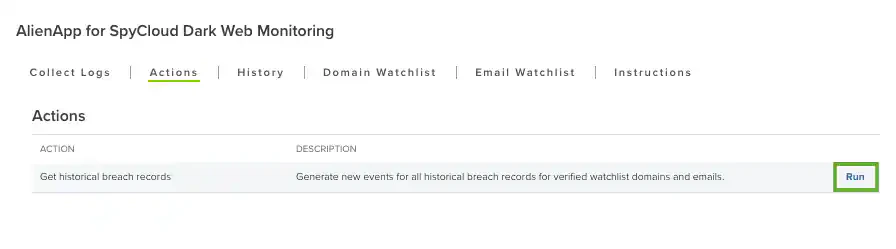
- Click the Actions tab.
-
Click Run to execute the action.
-
Verify the selected action type and action, and then click Run.
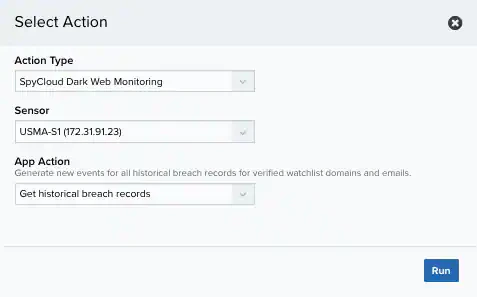
- A record of this action displayed on the History tab. You can view these events under Activity > Events.
BlueApp for SpyCloud Dark Web Monitoring
Collecting Your Historical Breach Events
Role Availability | ❌ Read-Only ❌ Investigator ✔️ Analyst ✔️ Manager
Upon configuration of the BlueApp for SpyCloud Dark Web Monitoring, the SpyCloud Dark Web Monitoring scheduler job collects new records every 24 hours for all validated watchlist items. The BlueApp for SpyCloud Dark Web Monitoring also supports a manual action that you can use to collect all historical records for your watchlist items.
To collect the historical breach records