

With a USM Anywhere license, you can always view your subscription data in one place. Use the My Subscription page to access your license information, data, and raw log data; as well as connect to a instance.
Subscription Data
Go to Settings > My Subscription to open the page.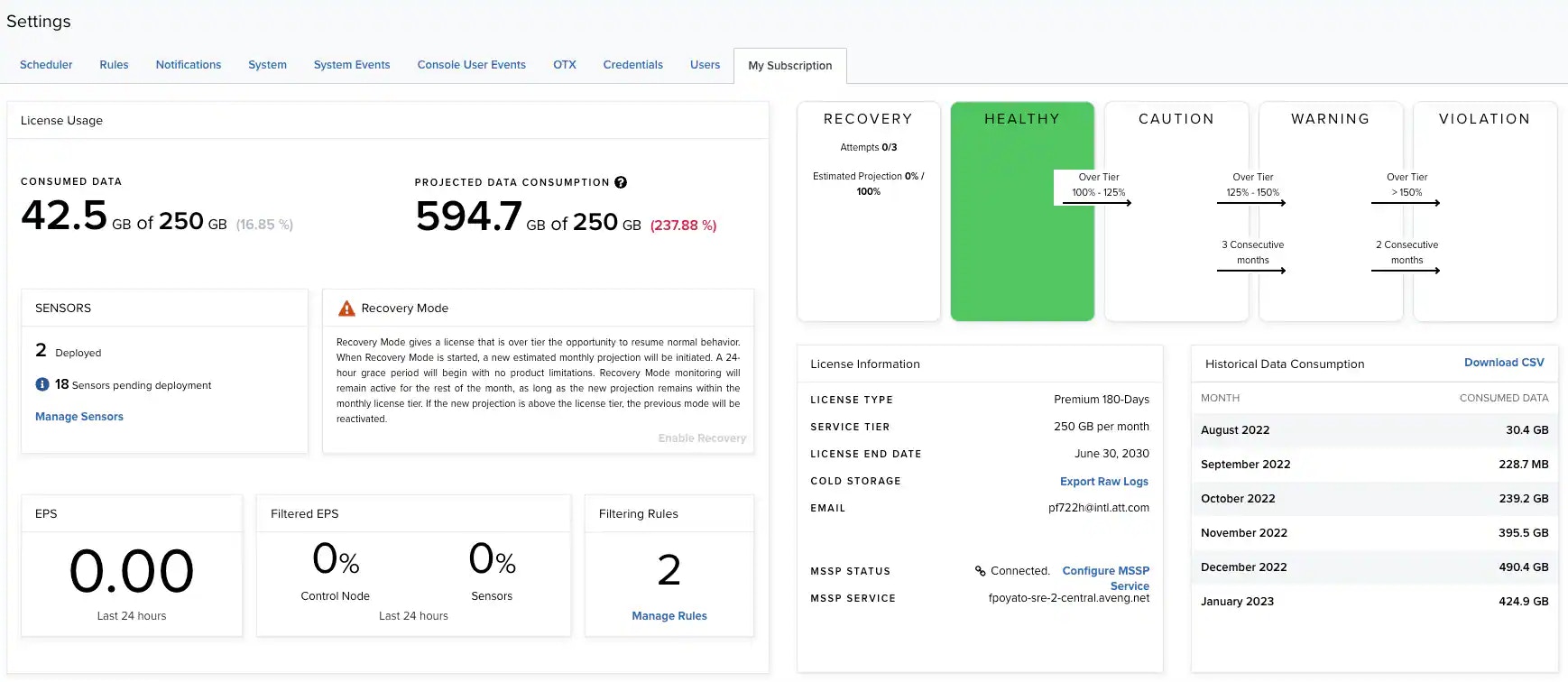
License Usage
License Usage
Data Consumption Status
Data Consumption Status
License Information
License Information
Raw Log Data
Raw log data is data that has been forwarded and collected through your sensors, agents, and Cloud Connectors. USM Anywhere stores this data and enables you to extract raw log data for audit purposes or further forensic analysis. To request and extract raw log data- Go to Settings > My Subscription.
- Click Manage Raw Logs in the License Information section.
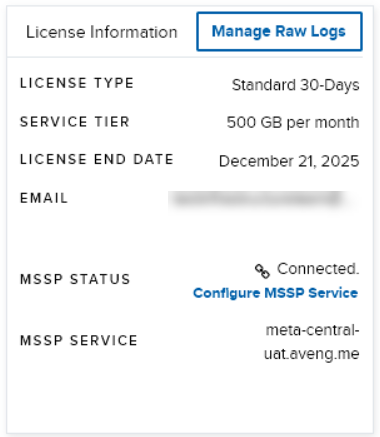
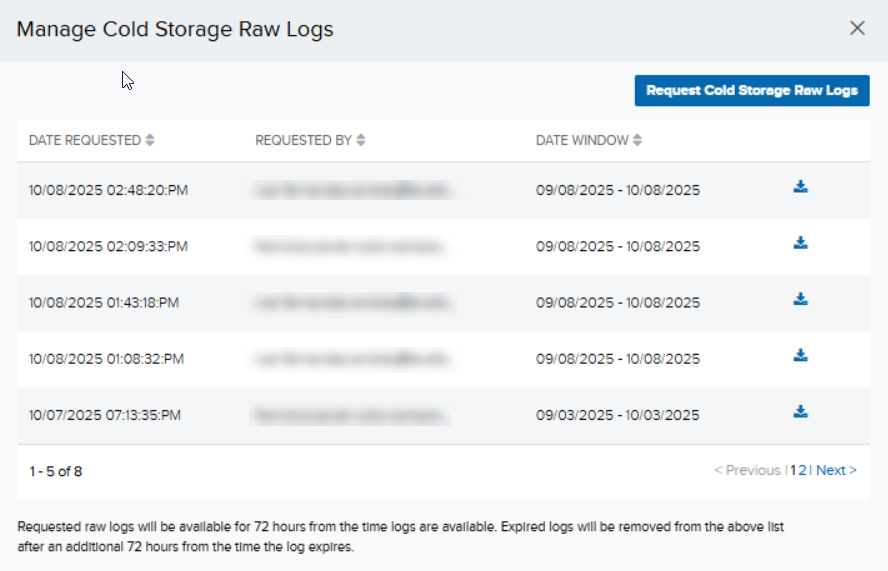
- Click Request Cold Storage Raw Logs.
- Click the dropdown to select a date range to download the raw log files (dates are in UTC). Once you have set the date, click Apply.
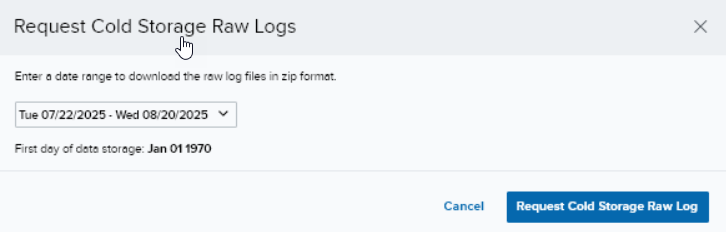
The start date cannot be earlier than your first day of storage. Furthermore, the date range cannot exceed 31 days.
- Click Request Cold Storage Raw Log. A message will be displayed indicating that a new request has been triggered, and the request will be displayed among the list of requests made. As the user who requested the raw logs, you will be sent an email to download the logs.
In the Manage Cold Storage Raw Logs dialog box, you can see your (latest) request at the top of the list with a Processing status. This changes to a download icon once it is ready for downloading./
-
Click the link in the email to navigate to the Raw Logs Management page. Your list of log requests (as well as those of the other users if you are logged in as a Manager) is displayed.
You need to be logged into USM Anywhere prior to clicking the link in your email. If you are not logged in, you will be prompted to log into the portal to navigate to the Raw Logs Management page.
- Click the download icon to download the log files. Select the path in which to save the logs, and the download process starts.
-
Extract the zipped bundle, and you will see the files listed as
forensics-YYYY-MM-DD.hh.log.gz, where YYYY-MM-DD.hh refers to the date and hour.You are able to access, request, and download cold storage raw logs as long as your license is valid. When your license expires, you will lose access to USM Anywhere, including your data in it. You have a 14-day grace period to renew your subscription; during which time your raw logs are kept by LevelBlue although no data will be collected until your license is renewed.
Email Notifications Concerning Your License
USM Anywhere sends the following emails to the email address associated with your license. Typically, this is the email address used to register the trial or your subscription:- A license is changed from trial to subscription.
- A license tier is upgraded.
- A license expiration date is updated.
- The number of sensors allowed is updated.
- An activated license has expired.
- An activated license is deleted.