

The USM Anywhere Network System page enables the user whose role is Manager to display a summary of the configured network.
To open the USM Anywhere Network System page
- Go to Settings > System.
- In the left navigation panel, click Network Settings.
-
In case of having more than one sensor in your environment, select a sensor.
The Network Status Test starts running.
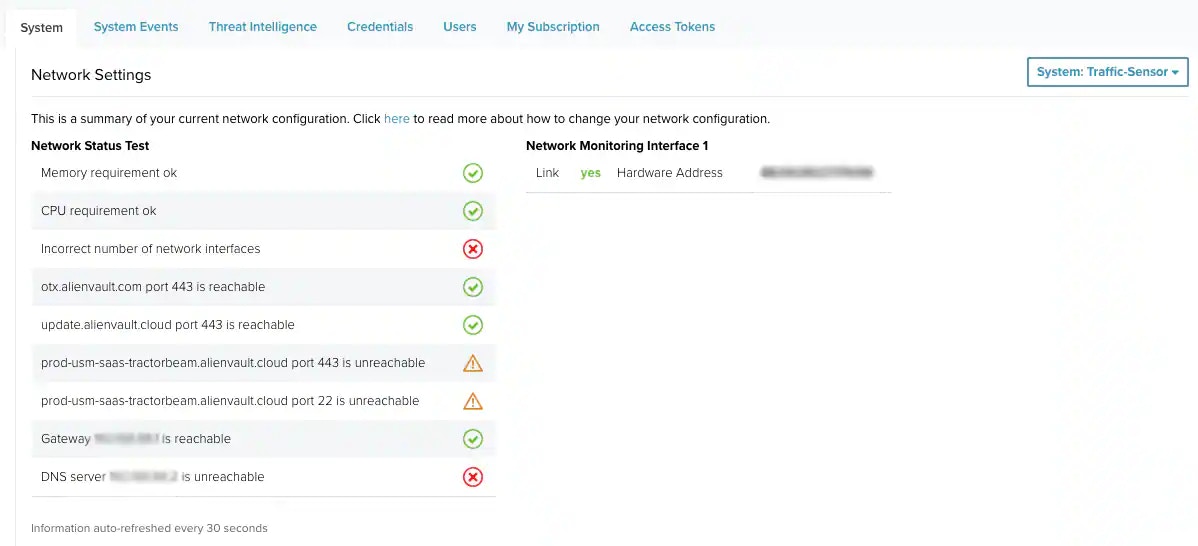
Note: See Network Setup and Configuration for more information.