Amazon Simple Storage Service (S3) is object storage with a simple web service interface that you can use to store and retrieve any amount of data from anywhere on the web. Organizations running an Amazon Web Services (AWS) environment typically use it as the primary storage for their cloud-native applications, as a bulk repository, as a target for backup and recovery, and as a long-term archive location.
When enabled, Amazon S3 can provide complete access logs for all actions taken in an Amazon S3 bucket. This gives you insight into who is accessing the data, and what actions are being taken. See Amazon’s documentation to learn how to enable S3 access logging.
Note: In AWS, you must enable Amazon S3 access logging in every Amazon S3 bucket that you want to monitor.
-
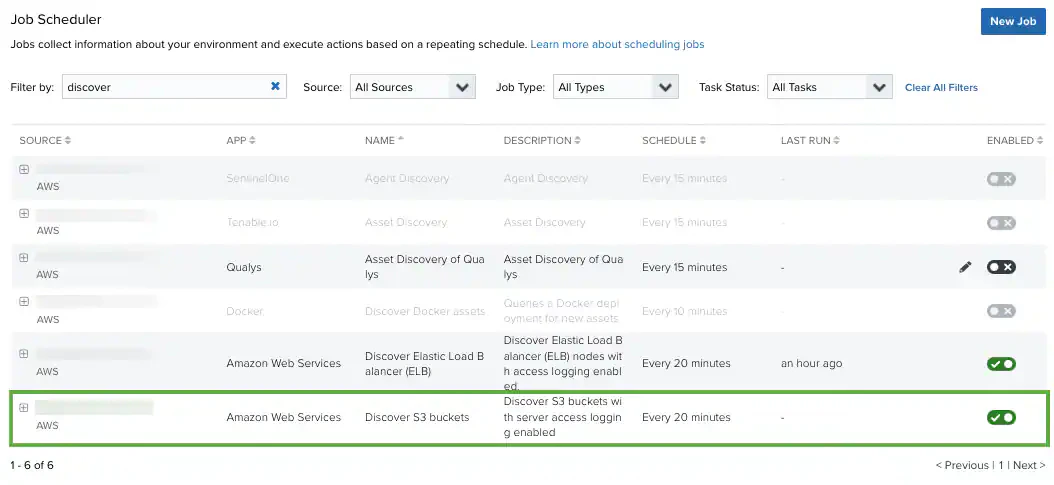
Go to Settings > Scheduler.
-
In the left navigation pane, click Log Collection.
-
Locate the Discover S3 buckets job and click the
 icon.
This turns the icon green (
icon.
This turns the icon green ( ). To disable an already-enabled job, toggle the icon to its original status.
After you have enabled log collection, USM Anywhere automatically discovers your Amazon S3 access logs every 20 minutes. They will now begin generating events and you can see them in the Amazon S3 Dashboard.