

- Deleting users from the List view
- Deleting users from the User Details page
- Deleting user accounts from the User Details page
- Go to Environment > Users.
-
Next to the username you want to delete, click the
 icon and select Delete User.
The delete user dialog box opens.
icon and select Delete User.
The delete user dialog box opens.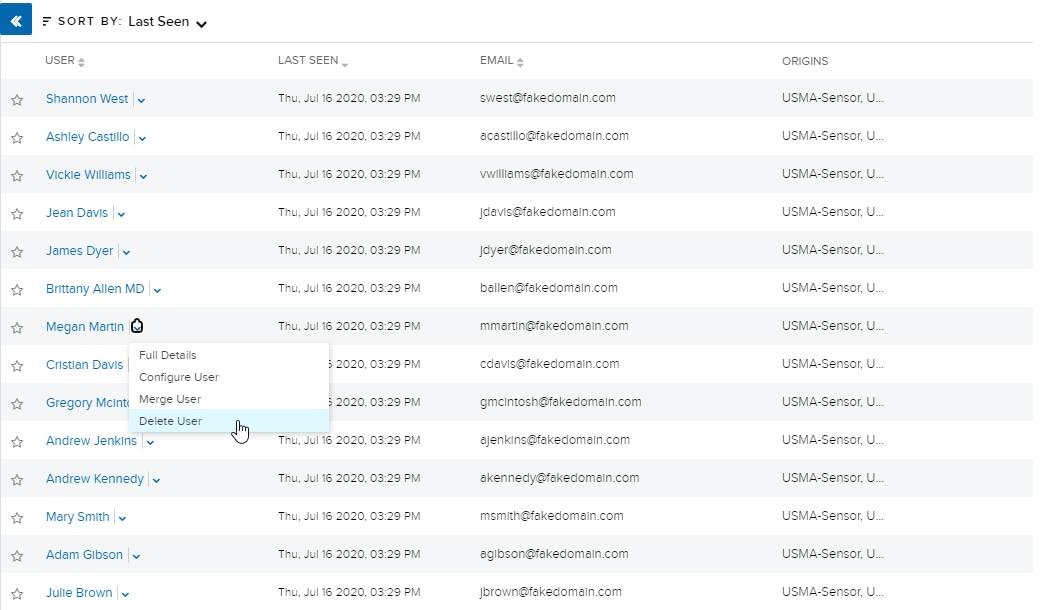
- Click Delete.
- Go to Environment > Users.
- Next to the username you want to delete, click the icon and select Full Details.
- Click Actions > Delete User.
- The delete user dialog box opens.
- Click Delete.
- Go to Environment > Users.
-
Next to the name of the user whose account you want to delete, click the icon and select Full Details.
-
Under the Accounts tab, click the
 icon.
The delete user dialog box opens.
icon.
The delete user dialog box opens.
- Click Delete.