

 icon to hide the filter pane. Click the
  icon to expand the filter pane.
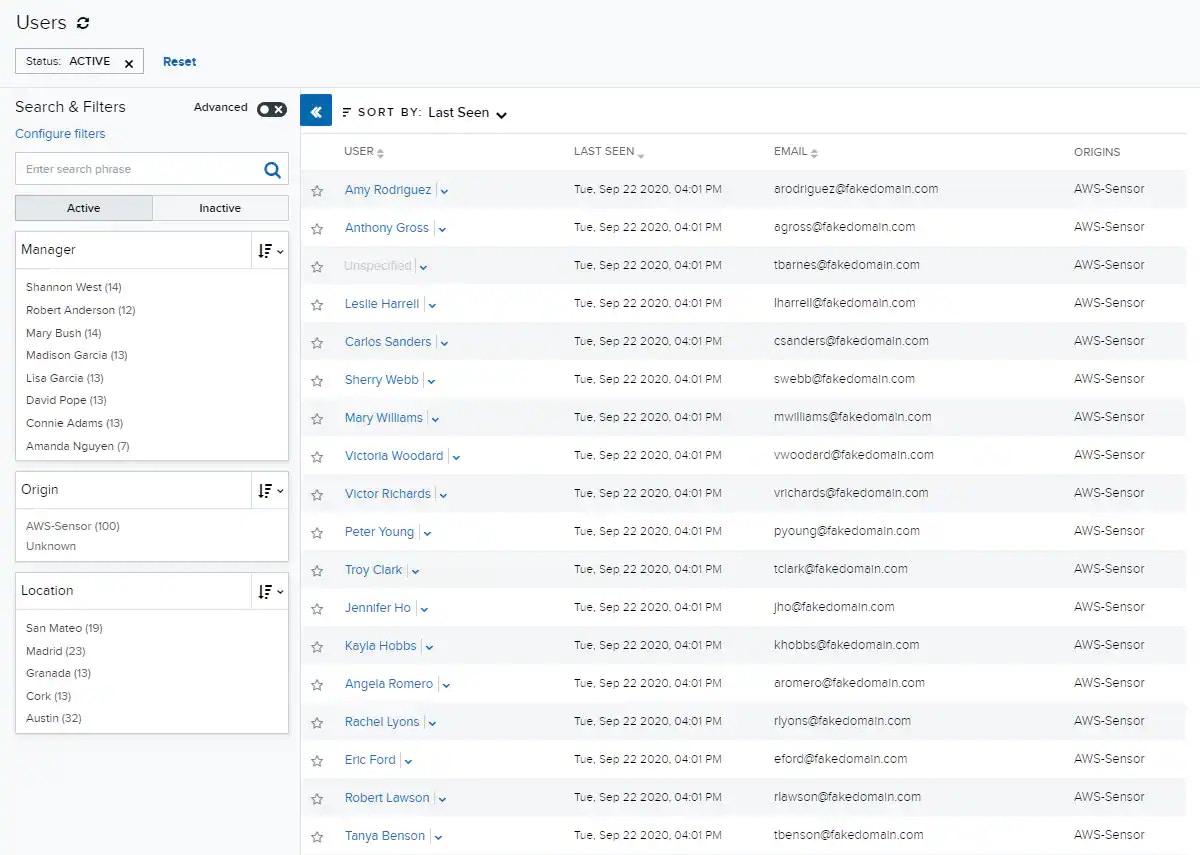
Note: User entities with no name or service account in their name field appear as “Unspecified”.
| Column Field Name | Description |
|---|---|
| User | An actor (person or service account) active in your environment (sometimes referred to as the user entity). |
| Last Seen | The date and time on which that user was last active in your environment. |
| A list of the email addresses associated with that user entity. | |
| Origins | The name of each sensor in which one of this user’s accounts was discovered. |
 icon to access the following options. Your access to these options may vary based on your user role. See Role-Based Access Control (RBAC) in USM Anywhere for more information:
- Full Details: Navigate to this user’s Full Details page.
- Configure User: Open the Configure User dialog box.
- Merge User: Open the Merge User dialog box.
- Delete User: Delete this user.