

- Open your virtualization management console and connect to the USM Anywhere Sensor virtual machine (VM).
-
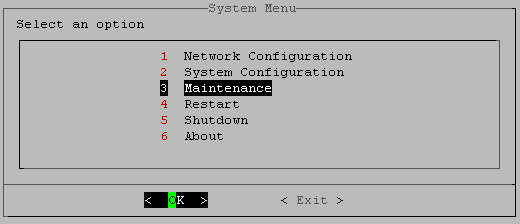
From the USM Anywhere Sensor console System Menu, select Maintenance and press Enter.
-
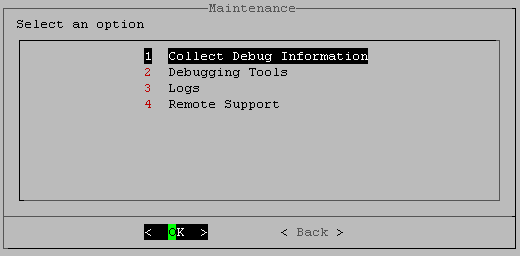
From the Maintenance menu, select Collect Debug Information and press Enter.
-
In the confirmation screen, select Yes and press Enter.
When the collection process is complete, you see an alert message. This provides the URL for the file and the password.
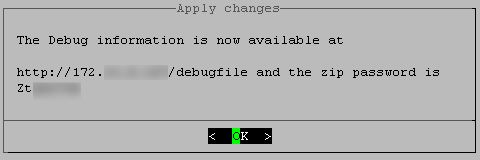
- Press Enter.
- Download the debug file and attach it to your support case. Make sure to update the support case information to include the file password.
Troubleshooting and Remote Sensor Support
Collecting Debug Information
When you open a ticket with LevelBlue Technical Support, you can include collected debug information to assist the support engineer with diagnosing your issue. The USM Anywhere Sensor console provides a function that you can use to collect this information. When enabled, the sensor rotates the debug logs when they exceed 100 megabytes (MB), and keeps up to 7 rotated files afterward.
To collect debug information for the sensor